Data in the dashboard
The typed api() fetch helper and translations.
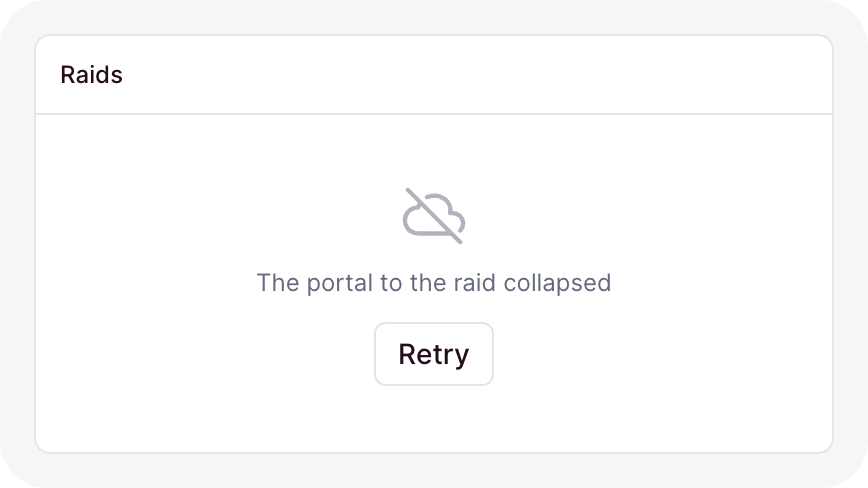
A dashboard page runs in the browser, so its data comes over HTTP from your API. useResource reads a route into a live value, and loaded renders a region through every state that value goes through: loading, empty, failed, and ready:
import { card, defineDashboardPage, each, h, loaded, page, useResource } from 'ohnejs/dashboard';

interface Raid {
  UUID: string;
  name: string;
}

export default defineDashboardPage(() => {
  const raids = useResource<Raid[]>('GET /raids');

  return page(
    { title: 'Raids' },
    card(
      loaded(raids, (list) =>
        h(
          'ul',
          null,
          each(list, (raid) => raid.UUID, (raid) => h('li', null, () => raid().name)),
        ),
      ),
    ),
  );
});
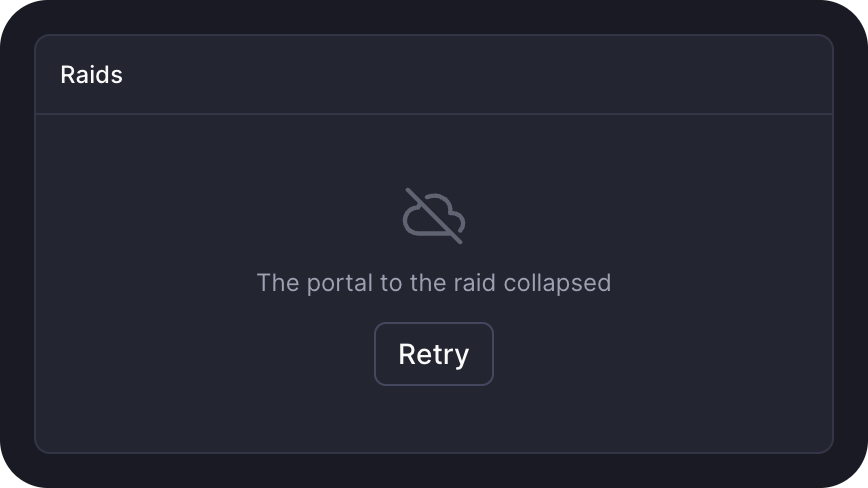
The page shows a skeleton, then the list. An empty array shows an empty state, and a failed read shows an error with a retry button.
Loading a route
useResource takes a route id and what to fill into it:
const zone = useSearchParam('zone', { fallback: 'durotar' });

const quests = useResource<Quest[]>('GET /heroes/[hero]/quests', {
  params: { hero: 'thrall' },
  query: () => ({ zone: zone.value, done: false }),
});paramsfills the[param]segments of the id.querybecomes the URL query.bodyis sent as JSON. Pair it with aPOSTroute that reads, like.../query.- Each of them can be a getter. A change sends the new request.
- A getter that returns
undefinedpauses the read until it returns a value.
Calling the resource, quests(), gives the value, or undefined until the first answer lands. Readers of the same request share one fetch, and a page you come back to shows its cached answer at once while it refreshes.
While it loads
The resource also tells you where it stands:
quests.state(); // 'loading', 'ready', 'error', or 'forbidden'
quests.error(); // the last failure: { status, message, data }
quests.stale(); // true while it shows the answer of another query
quests.busy(); // true during the first load and a reload- A
403reads as'forbidden'. Any other failure reads as'error'and keeps the last value. - A
401is left to the expired session handling. - When only the query changes, like a range switch, the old answer stays on screen as
staleuntil the new one lands. A read never flashes back to a skeleton.
Kit components that take data handle all of this for you. Reach for loaded in a region you render yourself:
loaded(raids, render, { emptyText: 'No raids this week', minHeight: '12rem' });renderbuilds once and gets a getter, so a reload updates the region in place.- A stale value dims, and a failed reload shows an alert above the old data.
- A plain getter works too, with only the loading, empty, and ready states.
Picking a slice
pick derives a resource over part of the value. It shares the parent's state, so one request feeds several regions:
const guild = useResource<Guild>('GET /guild');
const members = guild.pick((value) => value.members);
const officers = guild.pick((value) => value.members.filter((member) => member.officer));
Reloading and polling
reload() sends a fresh request and resolves once it settles. poll refetches on an interval:
const auctions = useResource<Auction[]>('GET /auctions', { poll: 30_000 });

button('Refresh', { loading: () => auctions.busy(), onClick: () => auctions.reload() });- Polling pauses while the tab is hidden, and catches up when it is visible again.
- A poll tick does not count as
busy, so a refresh button does not spin on every tick. - A request times out after 15 seconds. Pass
timeoutto change it.
Writing with useAction
useAction binds a write to a route. run sends the body as JSON and reports the outcome itself:
const settings = useResource<Settings>('GET /guild/settings');
const save = useAction('PATCH /guild/settings', {
  reload: [settings],
  onDone: () => toast('Saved', { type: 'success' }),
});

button('Save', {
  loading: () => save.busy(),
  onClick: () => save.run({ body: { motd: 'For the Horde' } }),
});
run resolves true on success and never rejects. Along the way it:
- skips a run while the same request is in flight
- retries a busy
503once - reloads every resource in
reload, then callsonDonewith the parsed answer - toasts a failure, or calls
onErrorinstead when you pass it
With a form, a run without a body sends the form's values, readPatch for a PATCH and read otherwise. Local errors and an empty patch send nothing. A 422 puts each message under its field and toasts the error count. A success rebases the form, so it reads clean again.
busy() is true while any call is in flight. busy(params) checks only the call to that path, so a per-row button spins alone:
const kick = useAction('DELETE /guild/members/[name]');

button('Kick', {
  loading: () => kick.busy({ name: member.name }),
  onClick: () => kick.run({ params: { name: member.name } }),
});
Typed route ids
ohne dev and ohne prepare generate the ids into .ohne/browser/routes.ts, so your editor autocompletes them in useResource, useAction, and api. The generated KnownAPIRoutes holds one member per route across every layer.
- A param route keeps its pattern in the id,
'GET /authors/[id]'. Fill it throughparams. - A route that answers every method has a bare-path id, like
'/health'.useResourcereads it withGET, anduseActionwrites it withPOST. - The answer type,
TinuseResource<T>, is your own claim. Nothing checks it against the server, so keep the shared shapes in one contract file that the route and the page both import.
Calling the API directly
api is the escape hatch: a typed fetch that returns the raw Response. Reach for it when a resource or an action does not fit, like a streamed download:
import { api } from 'ohnejs/dashboard';

const response = await api('POST /authors', {
  headers: { 'content-type': 'application/json' },
  body: JSON.stringify({ name: 'Thrall' }),
});
const author = await response.json();- The id's method becomes the request method.
- The path is appended to the API base URL:
API_URL, elsedashboard.apiURL, else the API's own host and port. apirejects only when the request itself fails. Checkresponse.ok: an error body has the HTTP error shape,statusCode,message, anddatawhen attached.readAPIError(response, fallback)reads that body into the{ status, message, data }thatuseResourceanduseActionreport.fallbackis the message when the body carries none.- A
401from a route outside/auth/is an expired session. A page inside the base layer's frame then opens a sign-in popup in place.
Uploading with progress
fetch cannot tell you how much of a body has been sent, so apiUpload sends one over XMLHttpRequest instead. It takes the same route id and the bytes, and calls onProgress as they are sent. A File is a Blob, so you can pass a picked or dropped file as is. apiUpload resolves to the same Response that api would:
import { apiUpload } from 'ohnejs/dashboard';
import { ref } from 'ohnejs/utils';

const percent = ref(0);

async function send(file: File): Promise<void> {
  const response = await apiUpload(`POST /avatars?name=${encodeURIComponent(file.name)}`, file, {
    headers: { 'content-type': file.type },
    onProgress: (loaded, total) => (percent.value = Math.round((loaded / total) * 100)),
  });
  const avatar = await response.json();
}- The body arrives raw. On the server,
readRawBodyfrom the request reads it. - The base URL, the credentials, and the session check are the ones
apiapplies. - Authenticate the route with
useUser,requireUser, orrequireCapability, which refuse a cross-site cookie write that a raw body could send. - A bare-path id uploads with
POST. - Pass a
signalto cancel. The promise rejects with anAbortError, asfetchdoes.
Translations in the browser
useT returns a translator with the same typed keys as the server's. Codegen copies KnownMessages into the browser, so an unknown key or a wrong parameter is a compile error. Here with the inbox catalog from Messages:
import { defineDashboardPage, h, useT } from 'ohnejs/dashboard';

const t = useT();

export default defineDashboardPage(() => [
  h('h1', null, () => t('inbox.empty')),
  h('p', null, () => t('inbox.unread', { count: 3 })),
]);
The dashboard loads every catalog of its language through the catalog endpoint before the first page renders, so t is ready inside your page.
Keep each t call inside a function child, so it follows a language switch and a catalog that arrives late. A call outside one is a snapshot: it renders once and never changes.
If the API cannot answer, the page renders anyway, in the default language. The dashboard keeps retrying, and each live t call switches once the catalogs arrive.
Labels from the discovery data, like a field's label or a menu row's, arrive as messages. Render them with translateMessage, inside a function child too:
h('span', null, () => translateMessage(field.label));A key that no catalog defines renders as the key itself. When a key is missing in the active language, the server fills it from the fallback chain.
Switching the language
useDashboardLanguage returns a read-only ref to the language on screen. The whole page shares it:
- It starts at the configured default language.
- It switches to the signed-in user's dashboard language once the session has loaded.
To switch it yourself, call setDashboardLanguage. It loads the new language's catalogs, then switches the text in place. The page keeps its state, like a draft or the scroll position:
import { h, setDashboardLanguage } from 'ohnejs/dashboard';

h('button', { onClick: () => void setDashboardLanguage('de') }, 'Deutsch');
A switch made while a navigation is pending lands together with the arriving page, so the page you leave never changes language on its way out.
api() sends the language you asked for as Accept-Language, so messages that the server resolves, like a validation error, arrive in it.
Codegen types the ref to the languages your catalogs define, so 'de' compiles only when a de catalog exists somewhere in the stack.