Layout
page, sections, stacks, rows, grids, and splits.
A dashboard page is a column of blocks: a header, then sections, then the cards inside them. The layout components place those blocks with the kit's spacing and breakpoints, so a page needs no CSS of its own.
import { card, defineDashboardPage, grid, page, section } from 'ohnejs/dashboard';

export default defineDashboardPage(() =>
  page(
    { title: 'Guild', description: 'Everyone who answers the call.' },
    section(
      { title: 'Officers' },
      grid(card('Thrall'), card('Jaina Proudmoore'), card('Baine')),
    ),
  ),
);
You get a heading that also names the browser tab, a small section heading, and cards in as many columns as the width allows.
Page
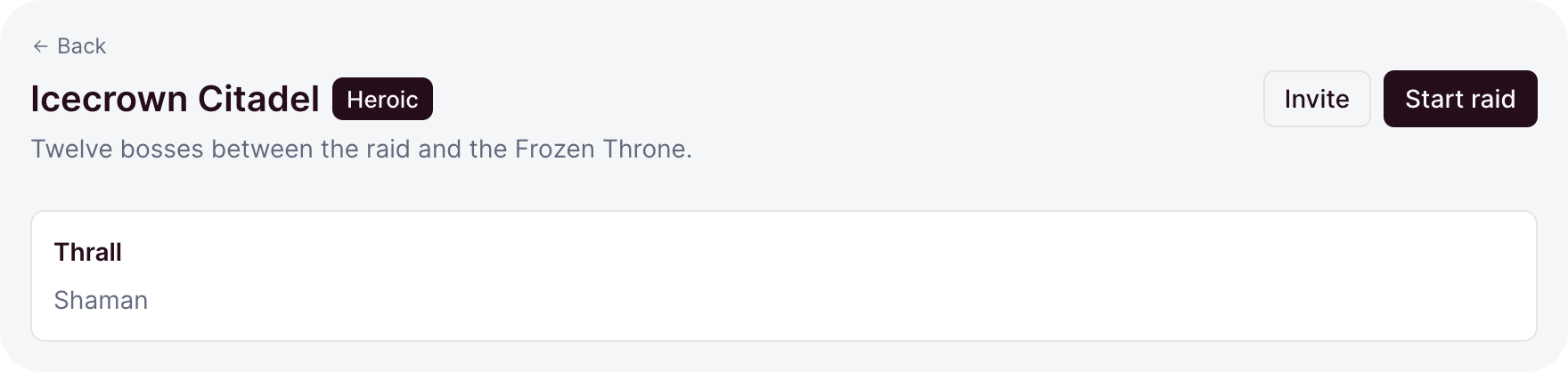
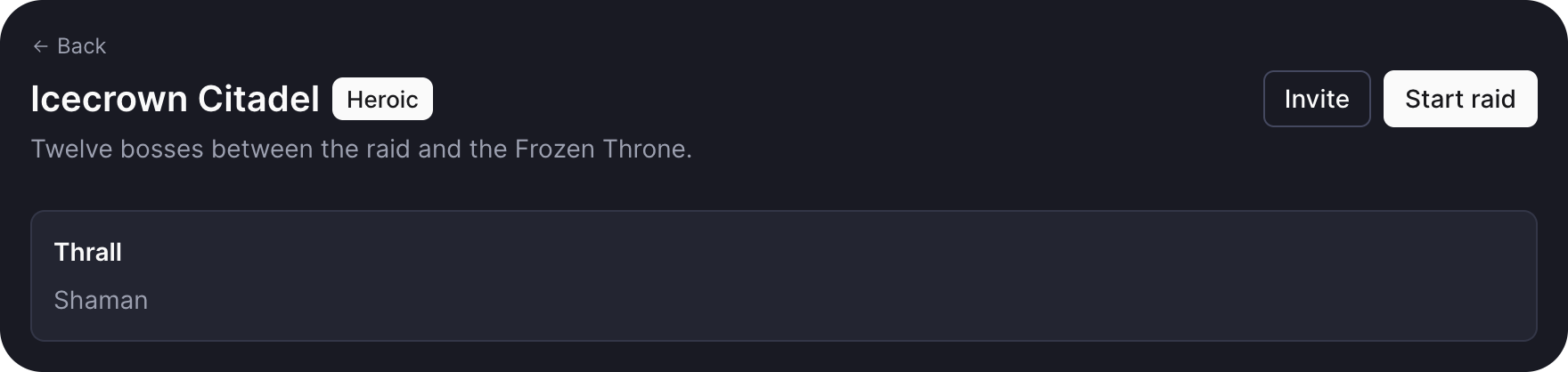
page takes the header options first, then the page's content:
page(
  {
    title: 'Icecrown Citadel',
    description: 'Twelve bosses between the raid and the Frozen Throne.',
    badge: badge('Heroic'),
    back: '/raids',
    actions: [button('Invite', { variant: 'outline' }), button('Start raid')],
  },
  roster,
)titleis theh1and the tab title, so you never set both.descriptionis a muted line under the title, andbadgesits beside it.backadds a small back link above the heading.actionssit at the end of the header, and move under the heading on a page narrower thanmd.
page is what sits inside the frame: the frame draws the sidebar and the chrome, page everything from the heading down. Its children stack with gap step 2.
Gap steps
Every layout spaces its children by a step, never a length:
| Step | Space |
|---|---|
-2 | half the unit |
-1 | two thirds |
0 | the unit |
1 | four thirds |
2 | double |
The unit is the --ohne-gap token, 0.75rem by default. Steps keep a page's rhythm consistent, and a theme that changes the token respaces every page at once.
section,stack,rowandgriddefault to0.splitdefaults to1,toolbarto-1.
Section
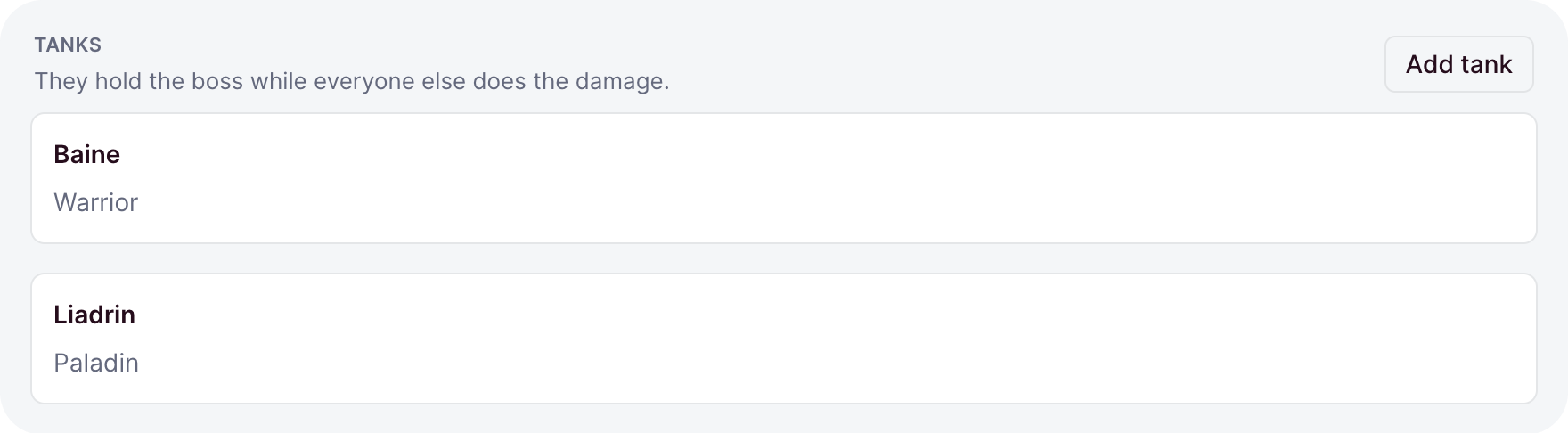
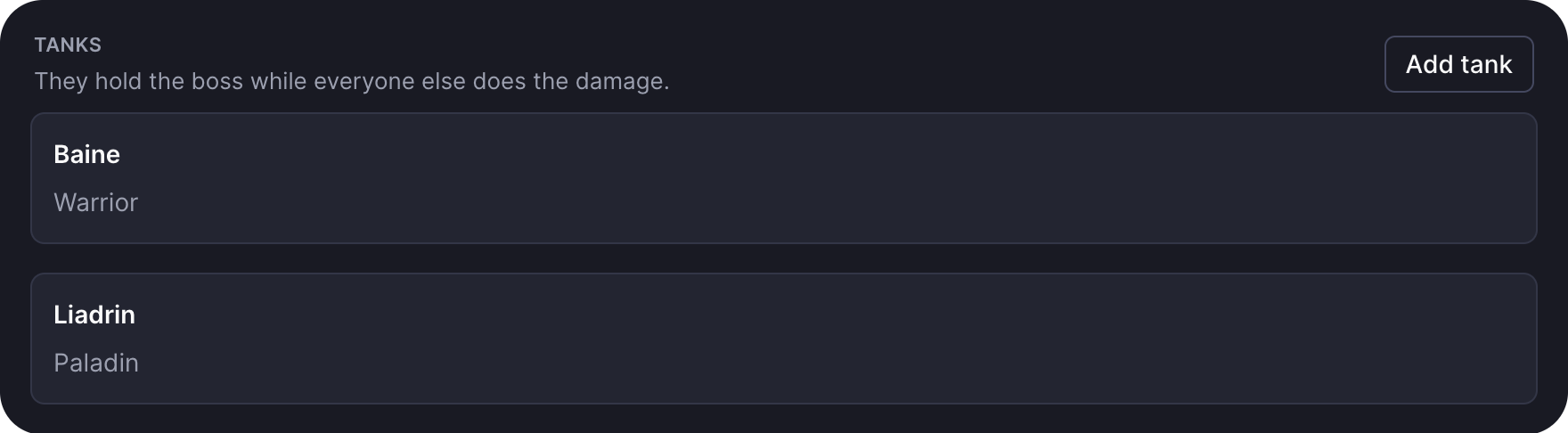
section groups part of a page under a small uppercase heading:
section(
  {
    title: 'Tanks',
    description: 'They hold the boss while everyone else does the damage.',
    actions: button('Add tank', { variant: 'outline', size: -1 }),
    gap: 1,
  },
  card(baine),
  card(liadrin),
)actionssit at the end of the heading row, usually small buttons.- Every option is omittable.
section(card(roster), card(bench))is a plain column.
Stack and row
stack lays its children out top to bottom, row side by side:
stack({ gap: -1 }, alert('The portal is unstable'), card(details))

row({ justify: 'between' }, h('strong', null, 'Thrall'), badge('Warchief'))alignplaces the children across: a stack stretches them, a row centers them.justifyspreads a row:start,center,end, orbetween, which pushes the first and last child to the edges.- A row wraps when its children do not fit.
wrap: falsekeeps them on one line. - Cards in a row share its width, and wrap once they would turn narrower than
16rem.
Like section, both take their options first, or no options at all.
Grid
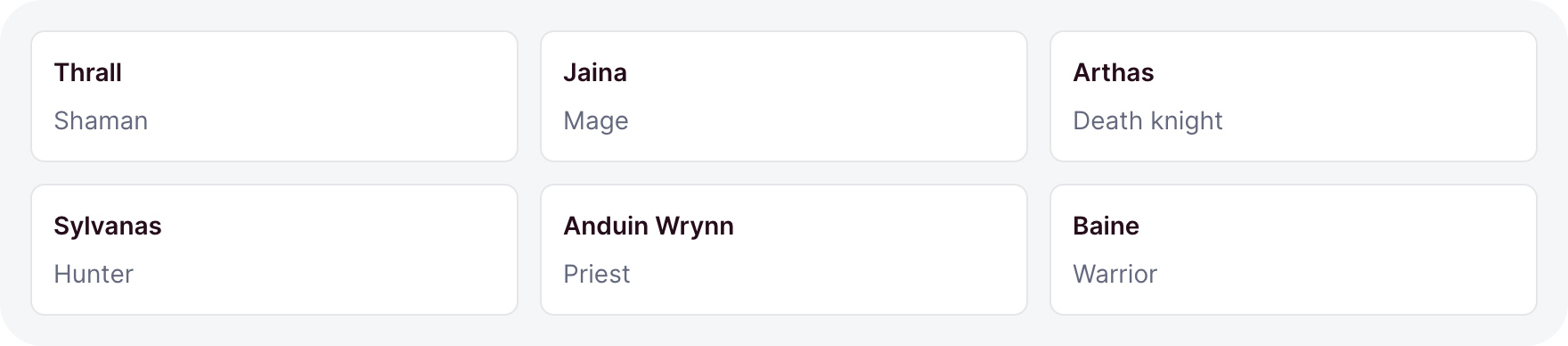
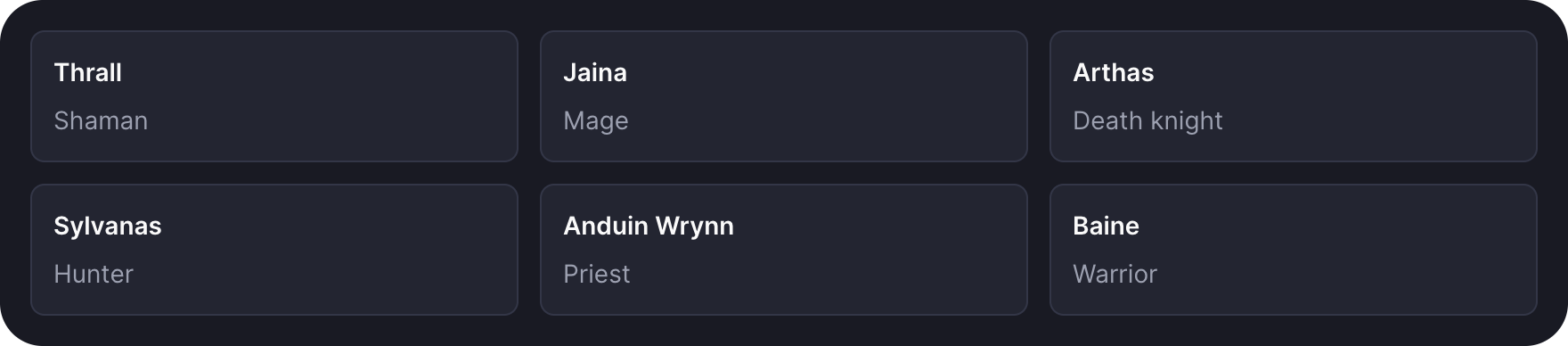
grid places its children in equal tracks, as many of at least 16rem as fit:
grid({ min: '13rem', minColumns: 2, gap: 1 }, ...tiles)minis the narrowest a track may get. A container narrower thanmingets one full-width track.minColumns: 2keeps two tracks and shrinks them belowmininstead, for small tiles like stats.- The grid answers to its own width, not the window's, so one grid works in a card and on a page.
Columns per step
columns holds a fixed track count instead, or one count per container step:
grid({ columns: { base: 1, sm: 2, md: 3, lg: 4 } }, ...cards)- A step's count holds from that step up. A step you leave out keeps the count below it.
baseapplies undersm, and defaults to1.columns: 3holds three tracks at every width.- With
columns,minandminColumnsdo not apply.
Cell
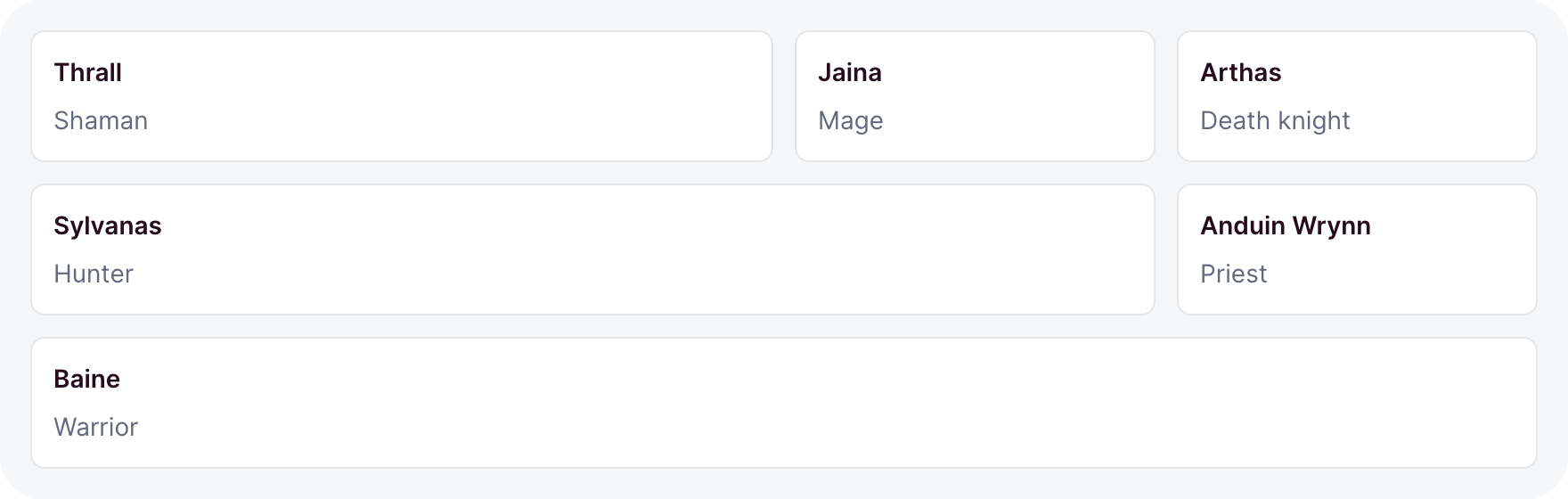
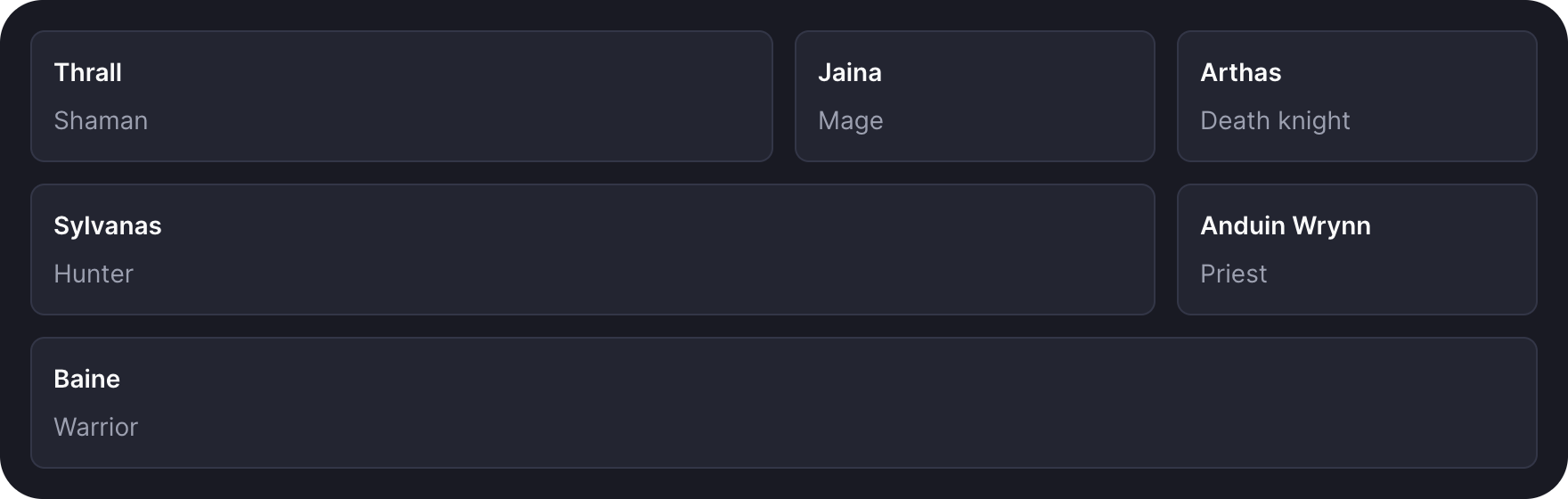
cell wraps one grid child so it spans several tracks:
grid(
  { columns: 3 },
  cell({ span: 2 }, card(chart)),
  card(totals),
  cell({ span: 'full' }, card(log)),
)
span: 'full'fills the whole row.- In a grid with
columns, a span never outgrows the track count. - In a grid without
columns, a span fills the whole row under themdstep, so a wide card never squeezes.
Split


split sets a main column beside a fixed-width aside:
split({ side: 'start', aside: '14rem', stackUnder: 'lg' }, questLog, filters)asideis the aside's width. Omitted, it is20rem.sideputs the aside at theend, the default, or thestart.- Under the
stackUnderstep,mdby default, the two stack with the aside last.
Divider and toolbar
divider draws a rule between blocks. toolbar is a wrapping row of controls above the content they act on:
divider({ label: 'Or' })

toolbar({ sticky: true }, search, button('New quest'), button('Import', { variant: 'outline' }))- A divider without a
labelis a plain line. sticky: truekeeps the toolbar at the top while the page scrolls.
Container steps
The layouts respond to the width of their container, not the window. Four steps name the widths:
| Step | From |
|---|---|
sm | 30rem |
md | 48rem |
lg | 64rem |
xl | 80rem |
A step matches its container from that width up. grid columns, split's stackUnder, and a button's iconOnly all take a step, so a block in a narrow card reflows the way it would in a narrow window.
When you still write CSS
Almost never. Spacing is a gap step, color is a tone, and most components take a size step from -2 to 2. For a span of text, the classes ohne-muted and ohne-medium mute it or give it weight.
For the rare rule the kit does not cover, css adopts a stylesheet once. Call it at the top level of the module, beside the component it styles:
import { css } from 'ohnejs/dashboard';

css`
  .raid-timer {
    color: hsl(var(--ohne-muted-foreground));
    font-variant-numeric: tabular-nums;
  }
`;- Read the kit's tokens, so the rule follows the theme and dark mode.
- Reach for a layout option before a margin. A margin fights the gap steps.