Lesson 06
Contact form
Add a contact form to Rayleigh: a collection anyone may write to, a Nuxt form that sends each message to it, and an optional reCAPTCHA check.


Messages
Each message a visitor sends becomes a record of a new collection. Its create is open to anyone, so a visitor needs no account, and only an editor reads what arrives. See Exposure.
import { defineCollection, field } from 'ohnejs';

// The messages visitors send with the contact form on your website.
export default defineCollection({
  fields: {
    // A message stays as its visitor wrote it: the API offers no update, and `immutable` refuses one too.
    name: field('text', { max: 100, immutable: true }),
    // An `email` field refuses anything that is not an email address.
    email: field('email', { immutable: true }),
    message: field('text', { multiline: true, max: 5000, immutable: true }),
  },
  api: {
    // Anyone may send a message, and nobody but an editor may read one.
    // `middleware/recaptcha.ts` checks each message for spam before it is stored.
    // See https://ohne.dev/docs/api/collections#exposure
    create: { public: true, middleware: ['recaptcha'] },
    read: true,
    delete: true,
  },
  dashboard: { icon: 'mail', recordLabel: 'name' },
});
The block
The form has nothing an editor changes, so its block has no fields:
import { defineBlock } from 'ohnejs';

// A block without fields: your website renders the form, and it sends each message to `Messages`.
export default defineBlock({
  description: 'A form that sends a message to the Messages collection',
  fields: {},
  dashboard: { icon: 'forms' },
});
Let Pages hold it:
    content: field('blocks', {
      allow: ['PageIntro', 'Portfolio', 'Image', 'Prose', 'Posts', 'ContactForm'],
    }),
The spam check
reCAPTCHA v3 scores each visitor without a puzzle. It takes two keys: a site key, which loads Google's script in every visitor's browser, and a secret key, which the backend sends to Google with each token. An editor turns the check on in Settings, and the keys show only while it is on. See Conditional fields.
import { defineCollection, field } from 'ohnejs';
import { requireUser, userCan } from 'ohnejs/auth';

// The site-wide settings your website reads: the logo, the menu, the footer links and the spam check.
// A singleton holds exactly one record, so the dashboard opens it straight away.
// See https://ohne.dev/docs/cms/website#site-data
export default defineCollection({
  singleton: true,
  api: {
    // Anyone may read the settings, and only an editor may change them.
    read: 'public',
    update: {
      // Only an admin may change the secret key: the `admin` role's `*` covers `settings.secrets`.
      // See https://ohne.dev/docs/api/collections#the-write-input
      access: async ({ input }) =>
        !('recaptchaSecretKey' in input) || userCan(await requireUser(), 'settings.secrets'),
    },
}, recaptcha: field('boolean', {
default: false,
display: 'switch',
label: 'Check messages with reCAPTCHA',
description:
'Google reCAPTCHA v3 scores each visitor, and a message from a likely bot is refused.',
}),
// `when` shows the keys only while the check is on.
// See https://ohne.dev/docs/database/conditional-fields
recaptchaSiteKey: field('text', {
nullable: true,
when: { recaptcha: true },
label: 'Site key',
description: 'From the reCAPTCHA admin console. Your website shows it to every visitor.',
}),
// `readable: false` keeps the secret out of every read, even the admin's, as a password is kept.
// Only the backend's own code reads it, to ask Google about a message.
// See https://ohne.dev/docs/database/collections#write-only-and-locked-fields
recaptchaSecretKey: field('text', {
nullable: true,
readable: false,
when: { recaptcha: true },
label: 'Secret key',
description: 'Saved, and never shown again. Type a new key to replace it.',
}), {
label: 'Contact form',
fields: ['recaptcha', { row: ['recaptchaSiteKey', 'recaptchaSecretKey'] }],
},Your CMS already holds its Settings record, and the sync refuses a new required field over it. A migration fills the switch in, turned off. See Filling.
import { defineMigration } from 'ohnejs';

// A site made before the contact form already holds its Settings row, and the new switch starts off there.
export default defineMigration({
  from: null,
  to: { collection: 'Settings', field: 'recaptcha' },
  transform: () => false,
});
Whoever holds the secret key can ask Google about tokens in your site's name, so it never leaves the backend: no read returns it, and only the admin may replace it. See Write-only and locked fields and Capabilities.
A route middleware does the check. Messages names it on its create, so it runs before each message is stored:
import { defineMiddleware, forbidden, query } from 'ohnejs';

/**
 * What Google answers about a reCAPTCHA token.
 * See https://developers.google.com/recaptcha/docs/v3#site_verify_response
 */
interface Verdict {
  success: boolean;
  score?: number;
}

// A middleware runs before the request's own work, and a throw answers the request instead.
// `Messages` names this one on its create, so a message is checked before it is stored.
// See https://ohne.dev/docs/api/middleware#route-middleware
export default defineMiddleware(async (event) => {
  // Server code is trusted, so it may select the write-only secret key.
  const settings = await query('Settings').select('recaptcha', 'recaptchaSecretKey').findFirst();
  if (!settings.recaptcha) return;

  // The website asks reCAPTCHA for a token when the visitor sends the form, and passes it on in this header.
  const token = event.request.headers.get('recaptcha-token');
  if (!(await isPerson(token, settings.recaptchaSecretKey))) {
    throw forbidden('The spam check failed. Please try again.');
  }
});

/**
 * Asks Google whether the visitor who got `token` is likely a person.
 */
async function isPerson(token: string | null, secret: string | null): Promise<boolean> {
  if (!token || !secret) return false;
  const response = await fetch('https://www.google.com/recaptcha/api/siteverify', {
    method: 'POST',
    body: new URLSearchParams({ secret, response: token }),
  });
  const verdict = (await response.json()) as Verdict;
  // reCAPTCHA v3 scores a visitor from 0 (a bot) to 1 (a person), and Google suggests 0.5 as the line.
  return verdict.success && (verdict.score ?? 0) >= 0.5;
}
The content
The seed adds the Contact page with the block, its menu item, and a site description that names the form:
  const contact = await query('Pages').createOrThrow({
    title: 'Contact',
    slug: 'contact',
    status: 'published',
    footerBorder: true,
    seo: { description: 'Contact us and get in touch.' },
    content: [
      { block: 'PageIntro', fields: { title: 'Contact', kicker: 'Get in touch.' } },
      // The website renders the form, and each message lands in `Messages`.
      { block: 'ContactForm', fields: {} },
    ],
}); logo,
menu: [
{ label: 'Portfolio', link: { collection: 'Pages', record: home.UUID } },
{ label: 'Blog', link: { collection: 'Pages', record: blog.UUID } },
{ label: 'About', link: { collection: 'Pages', record: aboutPage.UUID } },
{ label: 'Contact', link: { collection: 'Pages', record: contact.UUID } },
], await query('Site').update({
name: 'Rayleigh',
description:
'Rayleigh is a minimalistic portfolio template made with ohne, with a gallery, an About page, a blog and a contact form.',
});Stop pnpm dev, delete the data and start again:
rm -rf apps/backend/.data apps/backend/.uploads
pnpm dev
Sign in to the dashboard with the new password the terminal prints.
Sending a message
The browser never calls the API. The form sends each message with useOhne().create: the browser posts it to your website, and your website passes it on to Messages. See Forms.
Your website passes on only the message, the visitor's language and their address. The spam check reads its token from a header, so name that header in ohne.headers:
  ohne: {
    // Your API in development. `NUXT_OHNE_API` replaces it when the server starts.
    api: 'http://localhost:9001',
    // The contact form's spam check reads this header, so your website passes it on to your API.
    headers: ['recaptcha-token'],
  },
When the CMS refuses a message, create resolves with ok: false, a message, and the CMS's message for each invalid field under errors. See Write failures.
The form
A text input is a label, its field, and the CMS's message under it:
<script setup lang="ts">
withDefaults(
  defineProps<{
    label: string;
    name: string;
    type?: 'text' | 'email' | 'textarea';
    autocomplete?: string;
    error?: string;
  }>(),
  { type: 'text' },
);

// `useId` gives the same id on the server and in the browser, so the label finds its input after hydration.
const id = useId();
</script>

<template>
  <div class="text-input">
    <label :for="id" class="text-input__label">{{ label }}</label>
    <textarea
      v-if="type === 'textarea'"
      :id="id"
      :name="name"
      rows="12"
      class="text-input__field text-input__field--area"
      :aria-invalid="!!error"
      :aria-describedby="error ? `${id}-error` : undefined"
    />
    <input
      v-else
      :id="id"
      :name="name"
      :type="type"
      :autocomplete="autocomplete"
      spellcheck="false"
      class="text-input__field"
      :aria-invalid="!!error"
      :aria-describedby="error ? `${id}-error` : undefined"
    />
    <!-- ohne wraps the values in its messages in backticks, and the form shows them as code. -->
    <p v-if="error" :id="`${id}-error`" class="text-input__error">
      <template v-for="(part, index) in error.split('`')" :key="index">
        <code v-if="index % 2">{{ part }}</code>
        <template v-else>{{ part }}</template>
      </template>
    </p>
  </div>
</template>
Without to, the button is a real <button>, the form's Send:
<script setup lang="ts">
// With `to`, the button is a link. Without it, it is a real `<button>`, like the contact form's Send.
// The router marks a link as the current page by its path alone.
// A button always leads somewhere else, like `?page=2` of this page, so it never reads as current.
withDefaults(defineProps<{ to?: string; type?: 'button' | 'submit' }>(), { type: 'button' });
</script>

<template>
  <NuxtLink v-if="to" :to="to" class="button" aria-current="false">
    <span class="button__label"><slot /></span>
  </NuxtLink>
  <button v-else :type="type" class="button">
    <span class="button__label"><slot /></span>
  </button>
</template>
The reCAPTCHA helpers name Google's script and ask it for a token:
/**
 * The part of Google's reCAPTCHA v3 script the contact form uses.
 * See https://developers.google.com/recaptcha/docs/v3
 */
interface ReCaptcha {
  ready(callback: () => void): void;
  execute(siteKey: string, options: { action: string }): Promise<string>;
}

declare global {
  interface Window {
    grecaptcha?: ReCaptcha;
  }
}

/**
 * The address of reCAPTCHA's script for `siteKey`.
 * The script watches how the visitor uses the page, so it loads with the page, not on submit.
 */
export function recaptchaScript(siteKey: string): string {
  return `https://www.google.com/recaptcha/api.js?render=${encodeURIComponent(siteKey)}`;
}

/**
 * Asks reCAPTCHA for a fresh token, which the backend hands to Google to score the visitor.
 * A token expires after two minutes, so the form asks for one on each submit.
 */
export async function recaptchaToken(siteKey: string): Promise<string> {
  const { grecaptcha } = window;
  if (!grecaptcha) throw new Error('reCAPTCHA did not load');
  await new Promise<void>((resolve) => grecaptcha.ready(resolve));
  return grecaptcha.execute(siteKey, { action: 'contact' });
}
The block reads the spam check from Settings, sends the form with create, and shows what the CMS answers:
<script setup lang="ts">
import type { Refused } from '@ohnejs/client';
import type { Blocks } from '~~/ohne';

// The block has no fields to edit: it renders the form, and each message lands in `Messages`.
defineProps<{ fields: Blocks['ContactForm'] }>();

const ohne = useOhne();
const settings = await useOhneRead('Settings');
const form = useTemplateRef('form');
const thanks = useTemplateRef('thanks');
const sending = ref(false);
const sent = ref(false);
const failure = ref<string>();
const errors = ref<Refused['errors']>({});

// The spam check is a switch in `Settings`, so reCAPTCHA's script loads only while it is on.
const siteKey = computed(() =>
  settings.value.recaptcha && settings.value.recaptchaSiteKey
    ? settings.value.recaptchaSiteKey
    : null,
);
useHead(() => ({
  script: siteKey.value ? [{ src: recaptchaScript(siteKey.value), async: true }] : [],
}));

async function send() {
  if (!form.value) return;
  const data = new FormData(form.value);
  const text = (name: string) => String(data.get(name) ?? '');
  sending.value = true;
  try {
    const recaptcha = siteKey.value ? await recaptchaToken(siteKey.value) : undefined;
    // Your website hands the message on to your CMS, which checks every field.
    // See https://ohne.dev/docs/cms/website#forms
    const result = await ohne.create(
      'Messages',
      { name: text('name'), email: text('email'), message: text('message') },
      // The backend's `recaptcha` middleware reads the token from this header.
      { headers: recaptcha ? { 'recaptcha-token': recaptcha } : {} },
    );
    if (!result.ok) return refuse(result);
    sent.value = true;
    await nextTick();
    thanks.value?.focus();
  } catch {
    refuse();
  }
}

async function refuse(refusal?: Refused) {
  errors.value = refusal?.errors ?? {};
  failure.value = Object.keys(errors.value).length
    ? undefined
    : refusal?.message || 'Something went wrong. Please try again.';
  sending.value = false;
  // Focus moves to the first field to fix, so a keyboard or screen reader visitor lands on it.
  await nextTick();
  form.value?.querySelector<HTMLElement>('[aria-invalid="true"]')?.focus();
}
</script>

<template>
  <Container class="content-block">
    <p v-if="sent" ref="thanks" class="contact-form__note" tabindex="-1">
      Thank you for your message! We'll get back to you as soon as possible.
    </p>
    <!-- `novalidate` leaves every check to the CMS, so the form shows the CMS's own messages. -->
    <form v-else ref="form" class="contact-form" novalidate @submit.prevent="send">
      <!-- While the message is sent, a disabled `<fieldset>` disables every field and the button. -->
      <fieldset class="contact-form__fields" :disabled="sending">
        <p v-if="failure" class="contact-form__note contact-form__note--error" role="alert">
          {{ failure }}
        </p>
        <TextInput label="Your name" name="name" autocomplete="name" :error="errors.name" />
        <TextInput
          label="Your email address"
          name="email"
          type="email"
          autocomplete="email"
          :error="errors.email"
        />
        <TextInput label="Message" name="message" type="textarea" :error="errors.message" />
        <Button type="submit">Send</Button>
      </fieldset>
    </form>
  </Container>
</template>
Styles
The fields, the notes and a danger color are plain CSS. Copy the stylesheets:
curl -sL https://github.com/ohnejs/rayleigh-nuxt/archive/refs/tags/lesson-06-contact-form.tar.gz \
| tar -xzf - --strip-components=1 rayleigh-nuxt-lesson-06-contact-form/apps/web/app/assets/styles/* Every color, font and size the other stylesheets use. The dark theme swaps the colors only. */
/* Breakpoints, widest first: 1199px (small laptop), 1023px (tablet), 767px (phone). */
:root {
--scheme: light;
--heading: #010203;
--copy: #234345;
--accent: #268baa;
--border: #e2e4e8;
--dim: #59797b;
--danger: #dc2626;
--page: #fff;
--ink: #010203;
--overlay: rgb(1 2 3 / 0.7);
--backdrop: rgb(1 2 3 / 0.8);
--menu-backdrop: rgb(255 255 255 / 0.75);
--badge: #234345;
--badge-icon: #fff;
--font-copy: Lato, ui-sans-serif, system-ui, sans-serif;
--font-heading: Poppins, ui-sans-serif, system-ui, sans-serif;
--container: 73.75rem;
--content: 48.75rem;
--gutter: 3rem;
--section: 5.75rem;
--radius: 0.375rem;
--ease: cubic-bezier(0.4, 0, 0.2, 1);
--fast: 150ms;
--slow: 300ms;
}
/* A visitor who asks for less motion gets every change at once, a theme switch included. */
@media (prefers-reduced-motion: reduce) {
:root {
--fast: 0ms;
--slow: 0ms;
}
}
/* The theme script in the page's `<head>` sets `data-theme` before the first paint. */
:root[data-theme='dark'] {
--scheme: dark;
--heading: #fff;
--copy: rgb(255 255 255 / 0.8);
--border: rgb(255 255 255 / 0.1);
--danger: #f87171;
--page: #010203;
--menu-backdrop: rgb(1 2 3 / 0.8);
--badge: #fff;
--badge-icon: #010203;
}
@media (max-width: 1199px) {
:root {
--gutter: 2rem;
}
}
@media (max-width: 767px) {
:root {
--gutter: 1.5rem;
}
}Try it
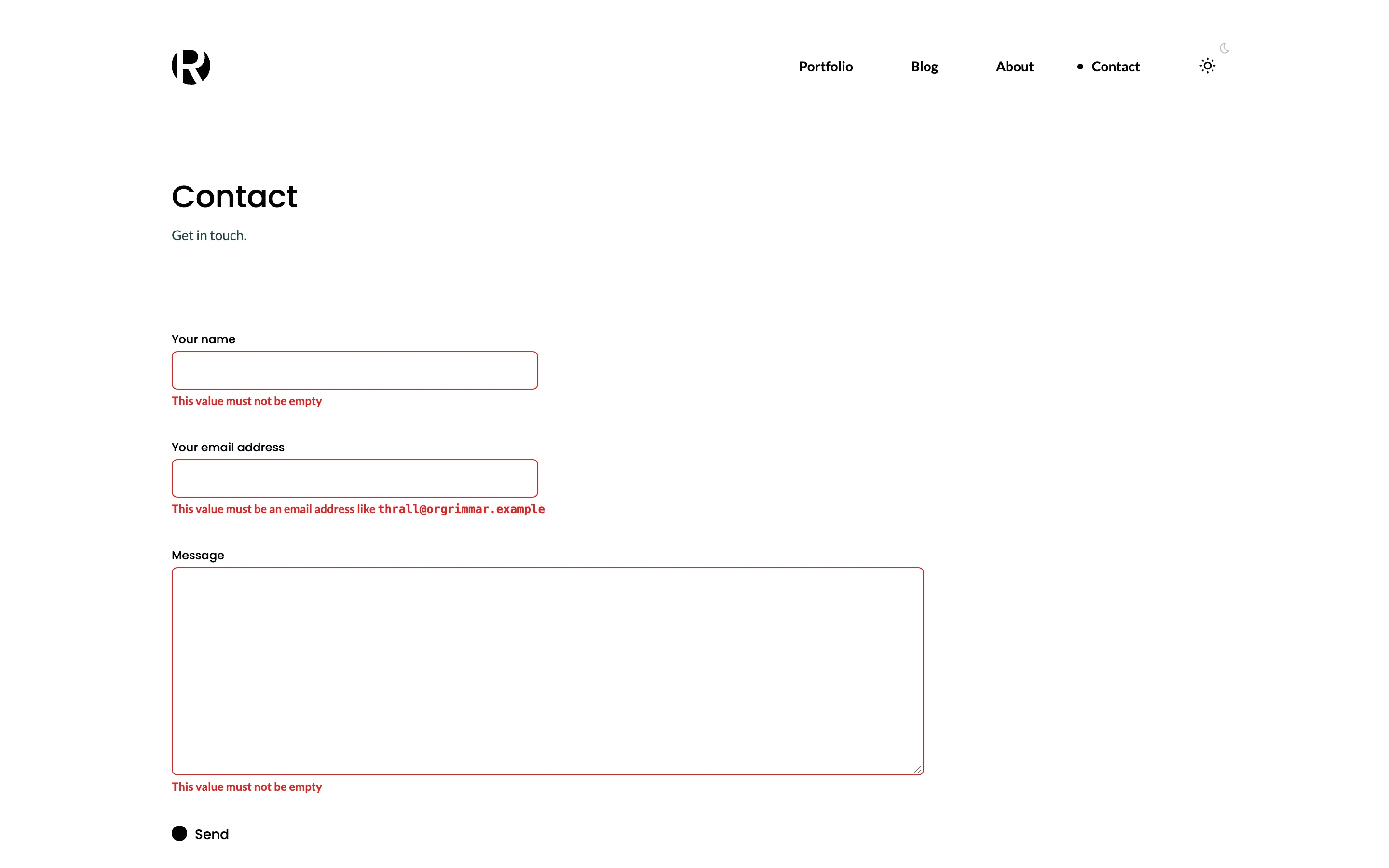
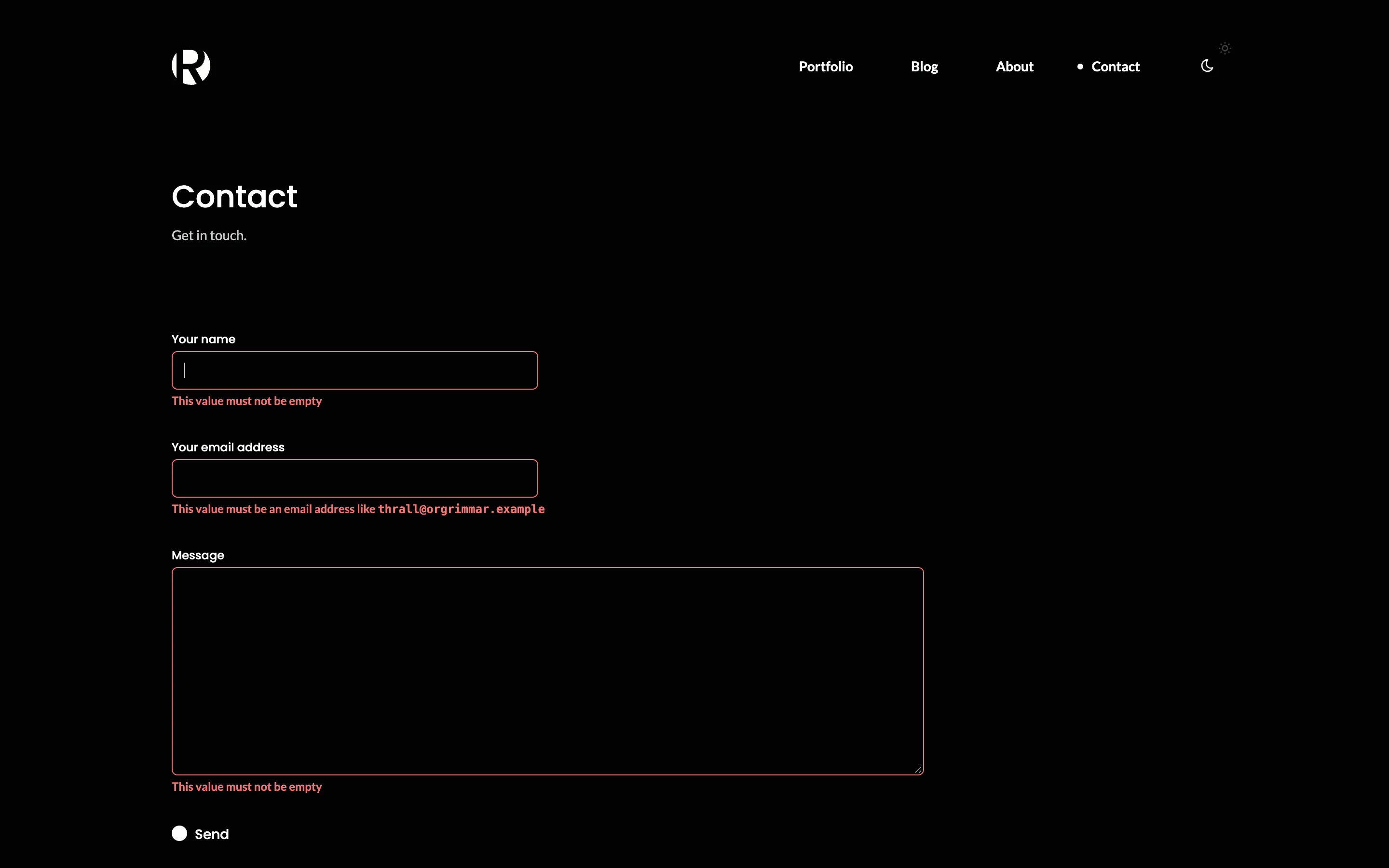
Open http://localhost:3000/contact and send the form empty. Each field shows the CMS's own message:
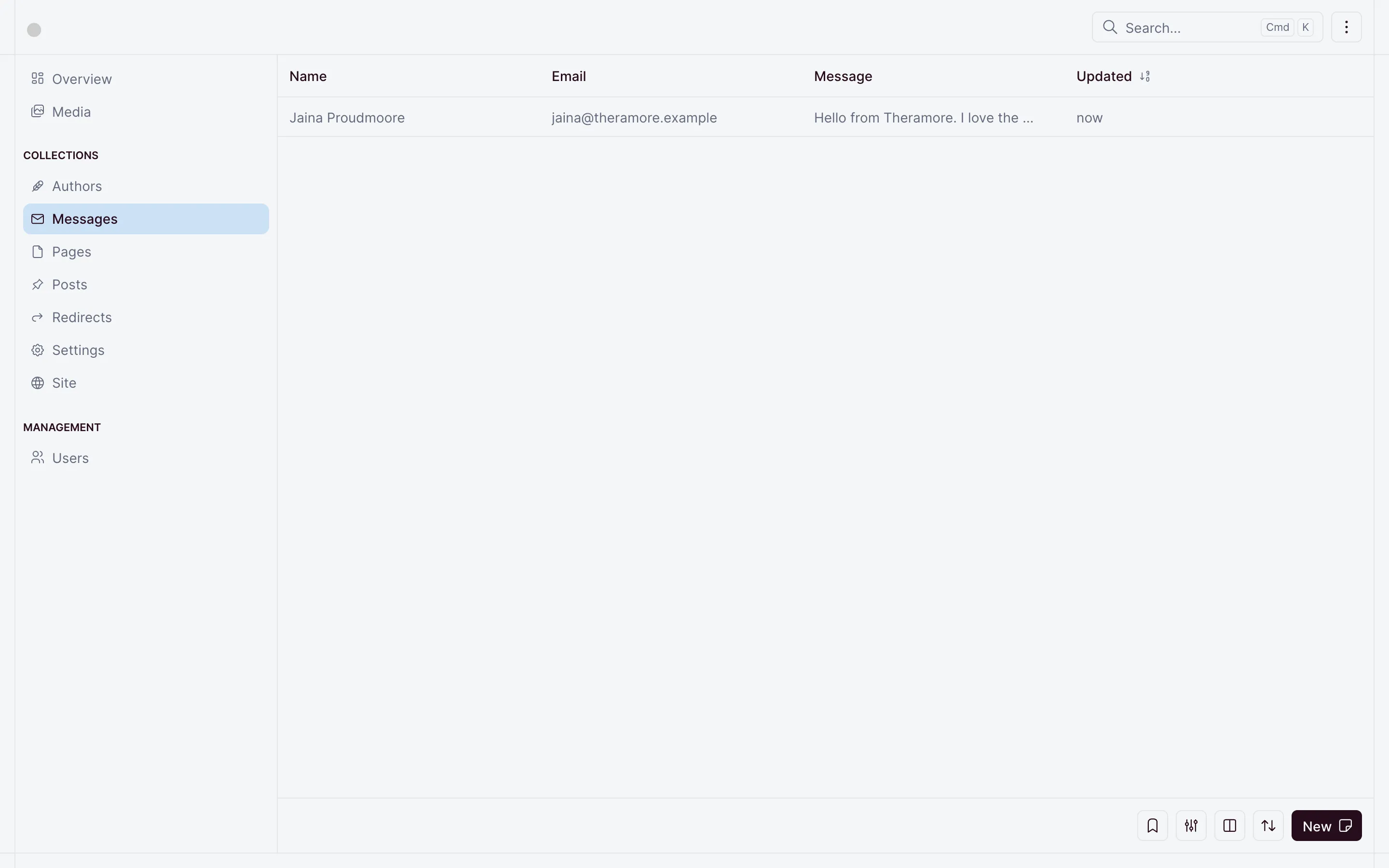
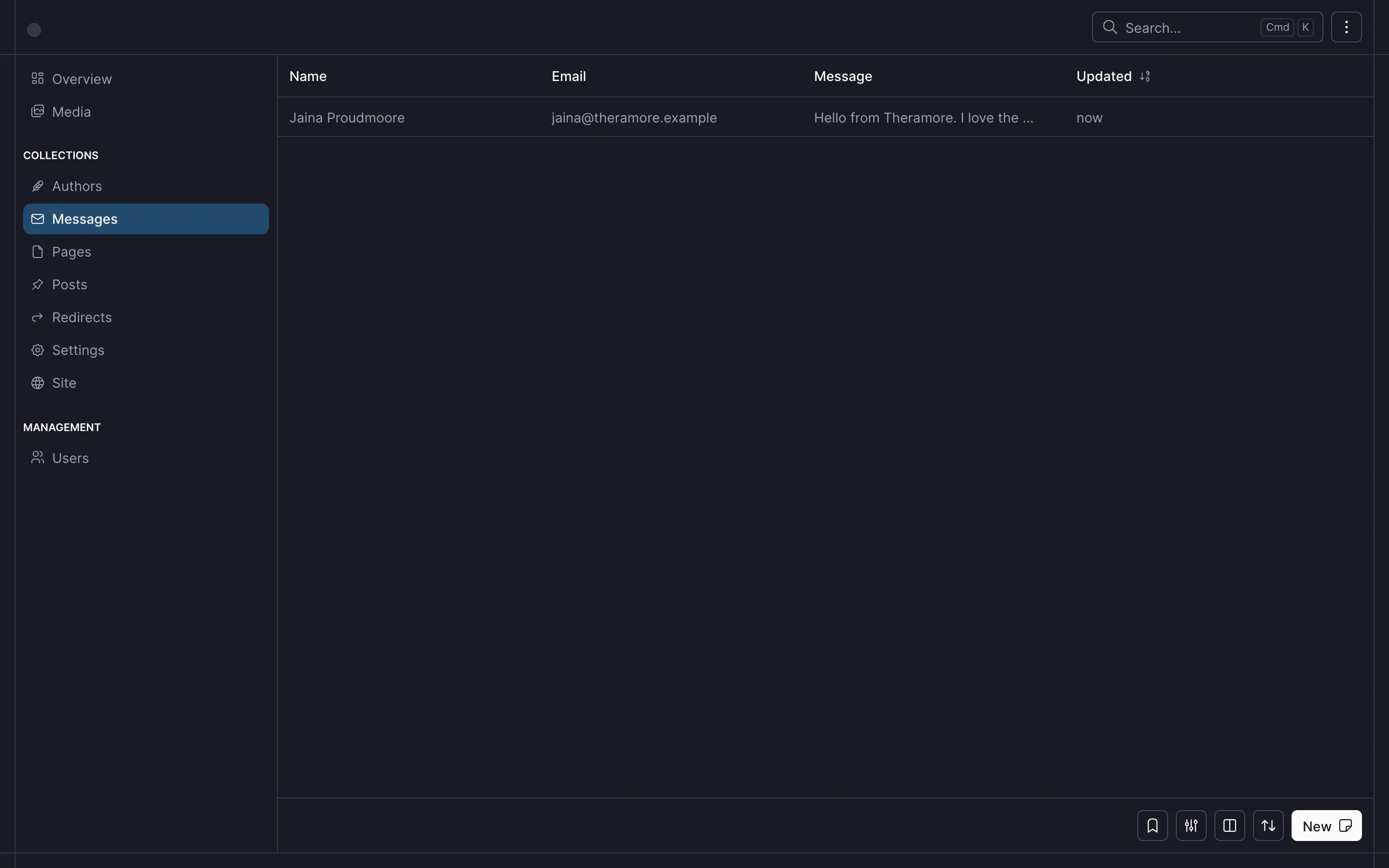
Send a real message, and it arrives under Messages in the dashboard:
To turn the spam check on, create a reCAPTCHA v3 key pair in the reCAPTCHA admin console, with localhost among its domains. Then turn on the switch on the Contact form tab of Settings, and enter both keys.
That is Rayleigh. Read SEO and redirects and Deployment to put it online.
Checkpoint
The code at this lesson
Every lesson ends at a tag. Clone it to start from here, or compare it with yours.
git clone --branch lesson-06-contact-form https://github.com/ohnejs/rayleigh-nuxt rayleigh