Lesson 05
Blog
Give Rayleigh a blog: posts with an author and their own route, a list in a Nuxt component that pages through them, and a page for each post.
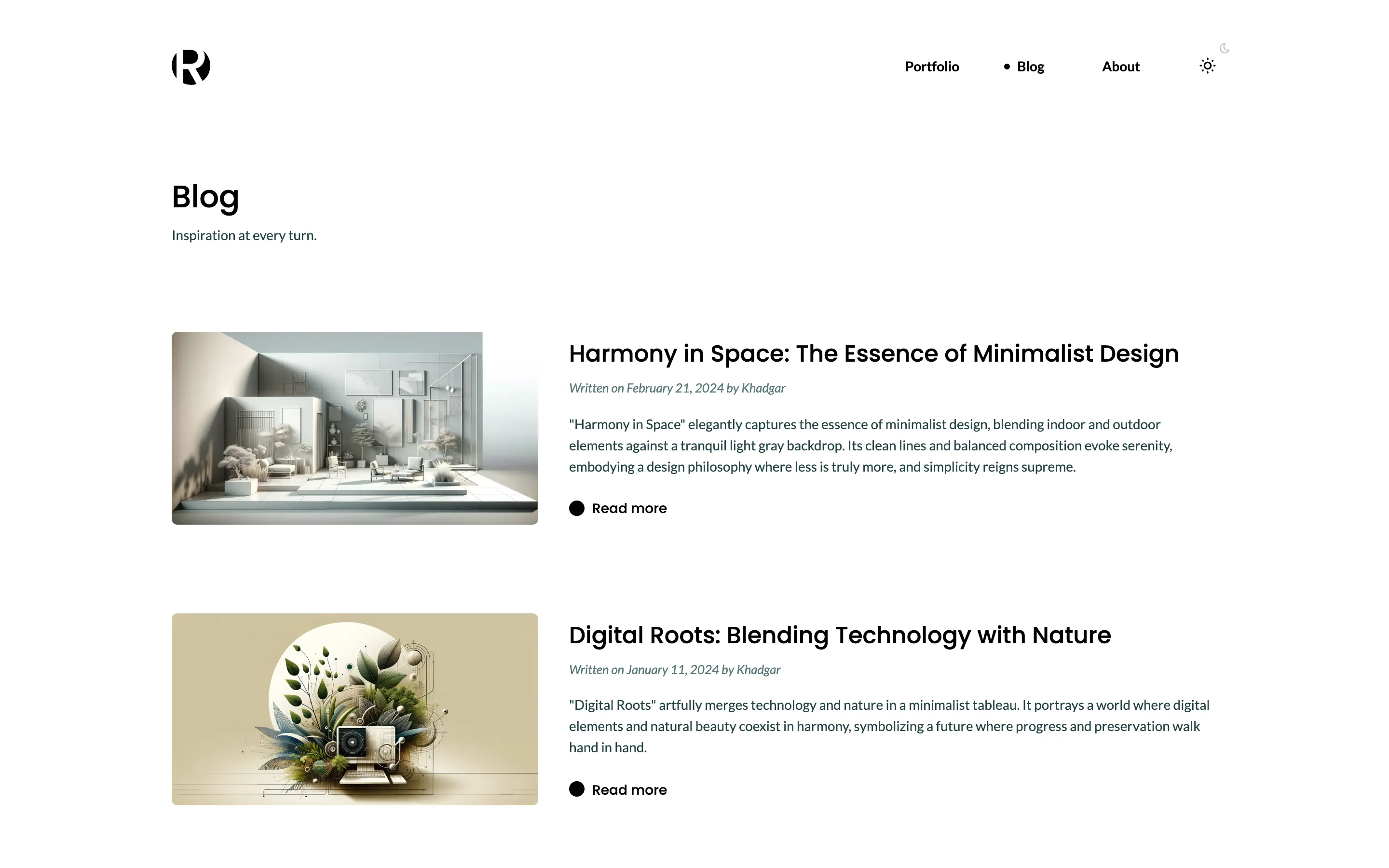
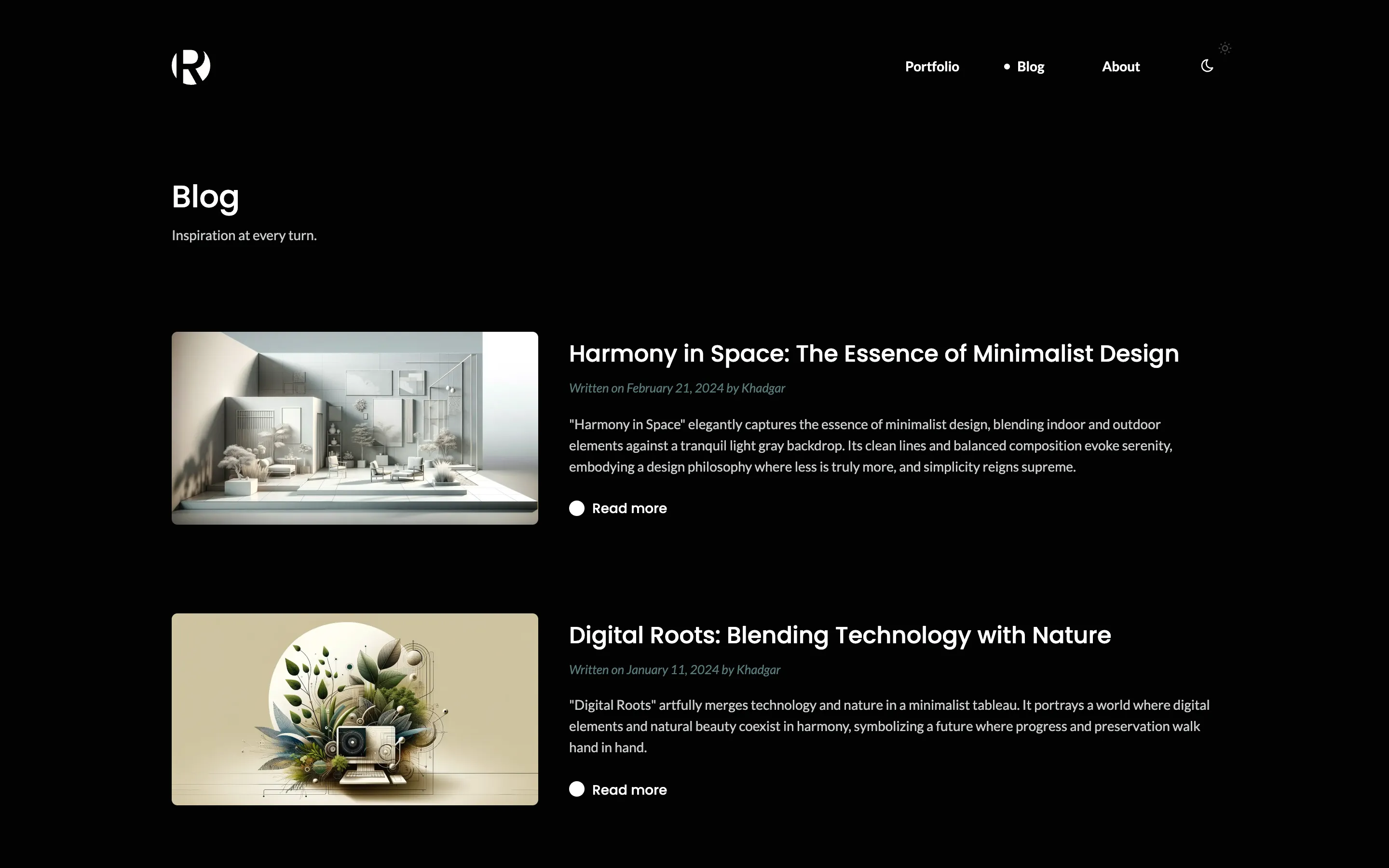
import { defineCollection, field } from 'ohnejs';

// The people who write the posts.
// Your website reads a post's author through this collection, so anyone may read it.
// `Users` stays private: it holds email addresses and passwords.
export default defineCollection({
  fields: {
    name: field('text'),
  },
  api: { read: 'public', create: true, update: true, delete: true },
  dashboard: { icon: 'feather', recordLabel: 'name' },
});
A post is a page of its own, with an author, an image and a summary. The author field is a reference to one record of Authors:
import { pageFields, publishedScope } from '@ohnejs/cms';
import { defineCollection, field } from 'ohnejs';

export default defineCollection({
  fields: {
    title: field('text'),
    headline: field('text', {
      nullable: true,
      description: 'Shown above the post. Leave it empty to show the title.',
    }),
    // `publishedAt` from the page fields doubles as the date a post was written on.
    ...pageFields(),
    // A reference to one author. Your website receives the whole author, not only its `UUID`.
    // See https://ohne.dev/docs/cms/website#reading-a-page
    author: field('record', { collection: 'Authors' }),
    image: field('image', { description: 'Shown beside the post on the blog page.' }),
    description: field('text', {
      multiline: true,
      description: 'A short summary, shown on the blog page.',
    }),
    content: field('blocks', { allow: ['Image', 'Prose'] }),
  },
  api: {
    read: { public: true, access: publishedScope },
    create: true,
    update: true,
    delete: true,
  },
  dashboard: { icon: 'pin', recordLabel: 'title' },
});
A post shows at /blog/<slug>, from a second route:
    // A post shows at `/blog/<slug>`, and every other path shows a record of `Pages`.
    // The more specific route wins, so `/blog/hello` finds a post before it looks for a page.
    // See https://ohne.dev/docs/cms/setup#routes
    routes: { Pages: '/[...slug]', Posts: '/blog/[slug]' },
A page shows the posts through a block of its own:
import { defineBlock } from 'ohnejs';

// A block without fields: your website fills it with the newest posts, three to a page.
export default defineBlock({
  description: 'The newest posts, three to a page',
  fields: {},
  dashboard: { icon: 'list' },
});
Pages allows it:
    // The page's content, as a list of blocks. Each name here is a file in `blocks/`.
    content: field('blocks', { allow: ['PageIntro', 'Portfolio', 'Image', 'Prose', 'Posts'] }),
Rich text may link to a post:
    // Rich text is stored as JSON, never HTML, and links to a page or a post follow it when its slug changes.
    // The options limit the editor's toolbar to what the design has styles for.
    // See https://ohne.dev/docs/database/rich-text
    body: field('richText', {
      elements: ['h2', 'h3', 'ul'],
      marks: ['strong', 'em'],
      links: ['Pages', 'Posts'],
    }),
Settings names the page that lists the posts, so each post can link back to it:
    blogPage: field('link', {
      collections: ['Pages'],
      nullable: true,
      label: 'Blog landing page',
      description: 'The page that lists the posts. Every post links back to it.',
    }),
  },
  dashboard: {
    icon: 'settings',
    layout: [
      {
        tabs: [
          { label: 'Header', fields: ['logo', 'menu'] },
          { label: 'Footer', fields: ['copyright', 'social'] },
          { label: 'Blog', fields: ['blogPage'] },
        ],
The content
Copy the posts, their images and the credits from this lesson's tag:
curl -sL https://github.com/ohnejs/rayleigh-nuxt/archive/refs/tags/lesson-05-blog.tar.gz \
  | tar -xzf - --strip-components=1 \
    rayleigh-nuxt-lesson-05-blog/apps/backend/seed/content.ts \
    rayleigh-nuxt-lesson-05-blog/apps/backend/seed/images/blog \
    rayleigh-nuxt-lesson-05-blog/apps/backend/seed/CREDITS.md
The seed adds the Blog page, an author and the posts. It also creates the admin account, so you no longer make one by hand:
import { openAsBlob } from 'node:fs';
import { hook, query, queryUntyped, useEnv, usePrinter } from 'ohnejs';
import { putUpload, updateUpload } from 'ohnejs/uploads';
import { randomToken } from 'ohnejs/utils/crypto';

import { about, galleries, posts } from '../seed/content.ts';

/**
 * Uploads one image from `seed/images/` to the media library, as an editor would, and gives it its alt text.
 * Returns the upload's `UUID`, which an image field stores.
 */
async function upload(path: string, description: string): Promise<string> {
  const [directory, name] = path.includes('/') ? path.split('/') : ['', path];
  const file = await openAsBlob(new URL(`../seed/images/${path}`, import.meta.url));
  const { UUID } = await putUpload({ directory, name, body: file.stream(), size: file.size });
  await updateUpload(UUID, { description });
  return UUID;
}

// Boot files run before the schema sync creates the tables, so the seed waits for `schema:synced`.
// It fires on every start. See https://ohne.dev/docs/project/boot
hook('schema:synced', async () => {
  if (useEnv().get('NODE_ENV') === 'production') return;
  // Only an empty site gets the demo, so the seed never touches your edits.
  if (await query('Pages').exists()) return;

  const logo = await upload('logo.svg', 'Rayleigh');

  const portfolio = [];
  for (const { title, directory, items } of galleries) {
    const gallery = [];
    for (const [name, caption] of items) {
      gallery.push({ image: await upload(`${directory}/${name}.webp`, caption), caption });
    }
    portfolio.push({ block: 'Portfolio' as const, fields: { title, gallery } });
  }

  const home = await query('Pages').createOrThrow({
    title: 'Homepage',
    // `index` is the slug of the home page, shown at `/`.
    slug: 'index',
    status: 'published',
    content: [
      {
        block: 'PageIntro',
        fields: {
          title: 'Welcome to Rayleigh',
          kicker: 'A minimalistic portfolio template made with ohne.',
        },
      },
      ...portfolio,
    ],
  });

  const blog = await query('Pages').createOrThrow({
    title: 'Blog',
    slug: 'blog',
    status: 'published',
    footerBorder: true,
    content: [
      { block: 'PageIntro', fields: { title: 'Blog', kicker: 'Inspiration at every turn.' } },
      // The website fills this block with the posts.
      { block: 'Posts', fields: {} },
    ],
  });

  const aboutPage = await query('Pages').createOrThrow({
    title: 'About',
    slug: 'about',
    status: 'published',
    footerBorder: true,
    content: [
      {
        block: 'PageIntro',
        fields: {
          title: 'About',
          kicker: 'Unveiling the artistry of interior and exterior design.',
        },
      },
      {
        block: 'Image',
        fields: {
          image: await upload(
            'other/about.webp',
            'A designer with folded arms in a bright open room beside a pool',
          ),
        },
      },
      { block: 'Prose', fields: { body: about } },
    ],
  });

  const author = await query('Authors').createOrThrow({ name: 'Khadgar' });
  for (const { image, body, ...post } of posts) {
    const picture = await upload(`blog/${image}.webp`, post.title);
    await query('Posts').createOrThrow({
      ...post,
      headline: post.title,
      status: 'published',
      author: author.UUID,
      image: picture,
      // What search engines and share cards show for the post.
      seo: { description: post.description, image: picture },
      content: [
        { block: 'Image', fields: { image: picture } },
        { block: 'Prose', fields: { body } },
      ],
    });
  }

  // A singleton always has its one record, so the seed updates it instead of creating it.
  await query('Settings').update({
    logo,
    menu: [
      { label: 'Portfolio', link: { collection: 'Pages', record: home.UUID } },
      { label: 'Blog', link: { collection: 'Pages', record: blog.UUID } },
      { label: 'About', link: { collection: 'Pages', record: aboutPage.UUID } },
    ],
    copyright: '© 2026 Rayleigh. Built with ohne.',
    social: [
      {
        icon: 'github',
        link: { url: 'https://github.com/ohnejs', newTab: true },
        title: 'ohne on GitHub',
      },
      {
        icon: 'website',
        link: { url: 'https://ohne.dev/examples/rayleigh', newTab: true },
        title: 'Rayleigh on ohne.dev',
      },
    ],
    blogPage: { collection: 'Pages', record: blog.UUID },
  });
  // `Site` comes with the CMS: the site's name, which every page title ends with.
  await query('Site').update({
    name: 'Rayleigh',
    description:
      'Rayleigh is a minimalistic portfolio template made with ohne, with a gallery, an About page and a blog.',
  });

  // The admin account, unless you already created one.
  // Its password is random and printed once, so no install starts with a known admin password.
  if (await queryUntyped('Users').unscoped().exists()) return;
  const password = randomToken(12);
  await query('Users').createOrThrow({
    email: 'admin@example.com',
    password,
    firstName: 'Khadgar',
    roles: ['admin'],
  });
  usePrinter().info(`Seeded \`admin@example.com\` with password \`${password}\``);
});
Stop pnpm dev, delete the data and start again:
rm -rf apps/backend/.data apps/backend/.uploads
pnpm dev
Sign in to the dashboard as admin@example.com, with the password the terminal prints.
The posts block
The block reads the posts with useOhneList. See Frameworks.
<script setup lang="ts">
import type { Blocks } from '~~/ohne';

// The block has no fields to edit: it lists the newest posts, three to a page.
// Declaring the prop keeps `fields` from landing on the root element as an attribute.
defineProps<{ fields: Blocks['Posts'] }>();

const route = useRoute();

// `?page=2` asks for the second page, and no `page` means the first.
const page = computed(() => (route.query.page === undefined ? 1 : Number(route.query.page)));
const valid = computed(() => Number.isInteger(page.value) && page.value >= 1);

// `useOhneList` reads one page of the `Posts` collection, as an anonymous visitor would.
// The options are a getter, so the list reads again when the page number changes.
// See https://ohne.dev/docs/cms/website#site-data
const posts = await useOhneList('Posts', () => ({
  order: ['-publishedAt'],
  perPage: 3,
  page: valid.value ? page.value : 1,
  select: ['title', 'headline', 'author', 'image', 'description', 'publishedAt'],
}));

// A page past the last one, or a page number that is not one, answers `404`.
// The first load throws on the server, and a later move in the browser shows the error page.
const missing = computed(() => !valid.value || page.value > posts.value.lastPage);
const notFound = { statusCode: 404, statusMessage: 'Page not found', fatal: true };

if (missing.value) throw createError(notFound);

watch(missing, (value) => value && showError(notFound));

function pageLink(n: number) {
  return n > 1 ? `${route.path}?page=${n}` : route.path;
}
</script>

<template>
  <Container class="posts">
    <template v-for="post in posts.records" :key="post.UUID">
      <!-- A post the visitor can read always has a page, so it carries its `path`. -->
      <article v-if="post.path" class="posts__item">
        <img
          v-if="post.image"
          class="posts__image"
          :src="post.image.url"
          :width="post.image.width ?? undefined"
          :height="post.image.height ?? undefined"
          :alt="post.image.description ?? ''"
          loading="lazy"
          decoding="async"
        />
        <div class="posts__body">
          <h2>
            <NuxtLink :to="post.path">{{ post.headline || post.title }}</NuxtLink>
          </h2>
          <WrittenOn :date="post.publishedAt" :author="post.author" />
          <div v-if="post.description" class="prose posts__description">
            <p>{{ post.description }}</p>
          </div>
          <Button :to="post.path">Read more</Button>
        </div>
      </article>
    </template>
    <nav v-if="posts.lastPage > 1" class="posts__pager" aria-label="Pages">
      <Button v-if="posts.page > 1" :to="pageLink(posts.page - 1)">Previous page</Button>
      <Button v-if="posts.page < posts.lastPage" :to="pageLink(posts.page + 1)" class="posts__next">
        Next page
      </Button>
    </nav>
  </Container>
</template><script setup lang="ts">
// The router marks a link as the current page by its path alone.
// A button always leads somewhere else, like `?page=2` of this page, so it never reads as current.
defineProps<{ to: string }>();
</script>
<template>
<NuxtLink :to="to" class="button" aria-current="false">
<span class="button__label"><slot /></span>
</NuxtLink>
</template>The post page
A post renders in the same page as every other path, with a link back to the blog and the date it was written on:
<script setup lang="ts">
import type { Link } from '@ohnejs/client';

// The link comes from `Settings`, so an editor picks the page it goes back to.
defineProps<{ link: Link | null }>();
</script>

<template>
  <OhneLink v-if="link" :link="link" class="back-button">
    <IconChevronLeft />
    <slot />
  </OhneLink>
</template><script setup lang="ts">
const props = defineProps<{ date: number | null; author: { name: string } | null }>();
// A date reads as a timestamp in milliseconds.
// One fixed locale and time zone give the same text on the server and in the browser, so hydration matches.
const format = new Intl.DateTimeFormat('en-US', { dateStyle: 'long', timeZone: 'UTC' });
const day = computed(() => (props.date === null ? null : new Date(props.date)));
</script>
<template>
<p v-if="day" class="written-on">
Written on
<time :datetime="day.toISOString().slice(0, 10)">{{ format.format(day) }}</time>
<template v-if="author"> by {{ author.name }}</template>
</p>
</template><script setup lang="ts">
// The `ohne` middleware asks the CMS what this path shows, once, before the page renders.
// A redirect or a missing page answers with its own status code, so this page only renders content.
definePageMeta({ middleware: 'ohne' });
// Each block renders its own heading, so a page adds no `<h1>` of its own.
// A path no page answers shows your CMS page with the slug `404`, when you create one.
// `footerBorder` is a switch on each page in the dashboard, which draws a line above the footer.
const page = useOhnePage();
// `cms.routes` in the backend shows each post at `/blog/<slug>`, so a post renders here too.
// It links back to the page an editor picked as the blog in `Settings`.
const settings = await useOhneRead('Settings');
</script>
<template>
<main
v-if="page?.kind === 'page' && page.collection === 'Pages'"
class="main"
:class="{ 'main--bordered': page.record.footerBorder }"
>
<OhneBlocks :blocks="page.record.content" />
</main>
<main
v-else-if="page?.kind === 'page' && page.collection === 'Posts'"
class="main main--bordered main--post"
>
<Container>
<header class="post-header">
<BackButton :link="settings.blogPage">Blog</BackButton>
<h1>{{ page.record.headline || page.record.title }}</h1>
<WrittenOn :date="page.record.publishedAt" :author="page.record.author" />
</header>
</Container>
<OhneBlocks :blocks="page.record.content" />
</main>
<main
v-else-if="page?.kind === 'notFound' && page.page"
class="main"
:class="{ 'main--bordered': page.page.footerBorder }"
>
<OhneBlocks :blocks="page.page.content" />
</main>
</template>Styles
The list, the buttons and the post header are plain CSS. Copy the stylesheets:
curl -sL https://github.com/ohnejs/rayleigh-nuxt/archive/refs/tags/lesson-05-blog.tar.gz \
| tar -xzf - --strip-components=1 rayleigh-nuxt-lesson-05-blog/apps/web/app/assets/styles/* Page intro */
.page-intro {
max-width: var(--content);
}
.page-intro__kicker {
margin-top: 0.5rem;
font-size: 0.875rem;
line-height: 1rem;
}
/* Portfolio */
.portfolio__title {
position: relative;
}
.portfolio__title::before {
content: '';
position: absolute;
top: 50%;
right: 100%;
width: 0.5rem;
height: 0.5rem;
margin-right: 0.75rem;
border-radius: 9999px;
background: var(--heading);
translate: 0 -50%;
transition: background-color var(--slow) var(--ease);
}
.portfolio__grid {
display: grid;
grid-template-columns: repeat(3, minmax(0, 1fr));
gap: 1.25rem;
margin-top: 1.5rem;
}
.portfolio__item {
position: relative;
display: block;
overflow: hidden;
border-radius: var(--radius);
}
.portfolio__item img {
width: 100%;
}
.portfolio__overlay {
position: absolute;
inset: 0;
display: flex;
flex-direction: column;
gap: 1rem;
padding: 2rem;
color: #fff;
background: var(--overlay);
opacity: 0;
transition: opacity var(--slow) var(--ease);
}
.portfolio__caption {
font-family: var(--font-heading);
font-weight: 500;
text-align: left;
translate: 0 -0.75rem;
transition: translate var(--slow) var(--ease);
}
.portfolio__overlay svg {
width: 1.5rem;
height: 1.5rem;
margin: auto 0 0 auto;
translate: 0 0.75rem;
transition: translate var(--slow) var(--ease);
}
.portfolio__item:is(:hover, :focus-visible) .portfolio__overlay {
opacity: 1;
}
.portfolio__item:is(:hover, :focus-visible) :is(.portfolio__caption, svg) {
translate: 0 0;
}
@media (max-width: 1023px) {
.portfolio__grid {
grid-template-columns: repeat(2, minmax(0, 1fr));
}
}
@media (max-width: 767px) {
.portfolio__title::before {
width: 0.25rem;
height: 0.25rem;
margin-right: 0.625rem;
}
.portfolio__grid {
grid-template-columns: minmax(0, 1fr);
margin-top: 1.25rem;
}
.portfolio__overlay {
padding: 1.5rem;
}
}
/* Image and Prose share a narrower measure, and sit closer together. */
.content-block > * {
max-width: var(--content);
}
.image-block {
width: 100%;
border-radius: var(--radius);
}
/* Posts */
.posts > * + * {
margin-top: var(--section);
}
.posts__item {
display: flex;
align-items: center;
gap: 2rem;
}
/* The list crops each post's image to a 1200 by 630 share card, as the design does. */
.posts__image {
flex-shrink: 0;
width: 23.75rem;
aspect-ratio: 1200 / 630;
object-fit: cover;
border-radius: var(--radius);
}
.posts__body {
flex: 1;
}
.posts__body .written-on {
margin-top: 0.5rem;
font-size: 0.8125rem;
}
.posts__description {
margin-top: 1rem;
}
.posts__body .button {
margin-top: 1.5rem;
}
.posts__pager {
display: flex;
gap: 2rem;
}
.posts__next {
margin-left: auto;
}
@media (max-width: 1023px) {
.posts__item {
flex-direction: column;
}
.posts__image {
width: 100%;
}
}Open a post from http://localhost:3000/blog:
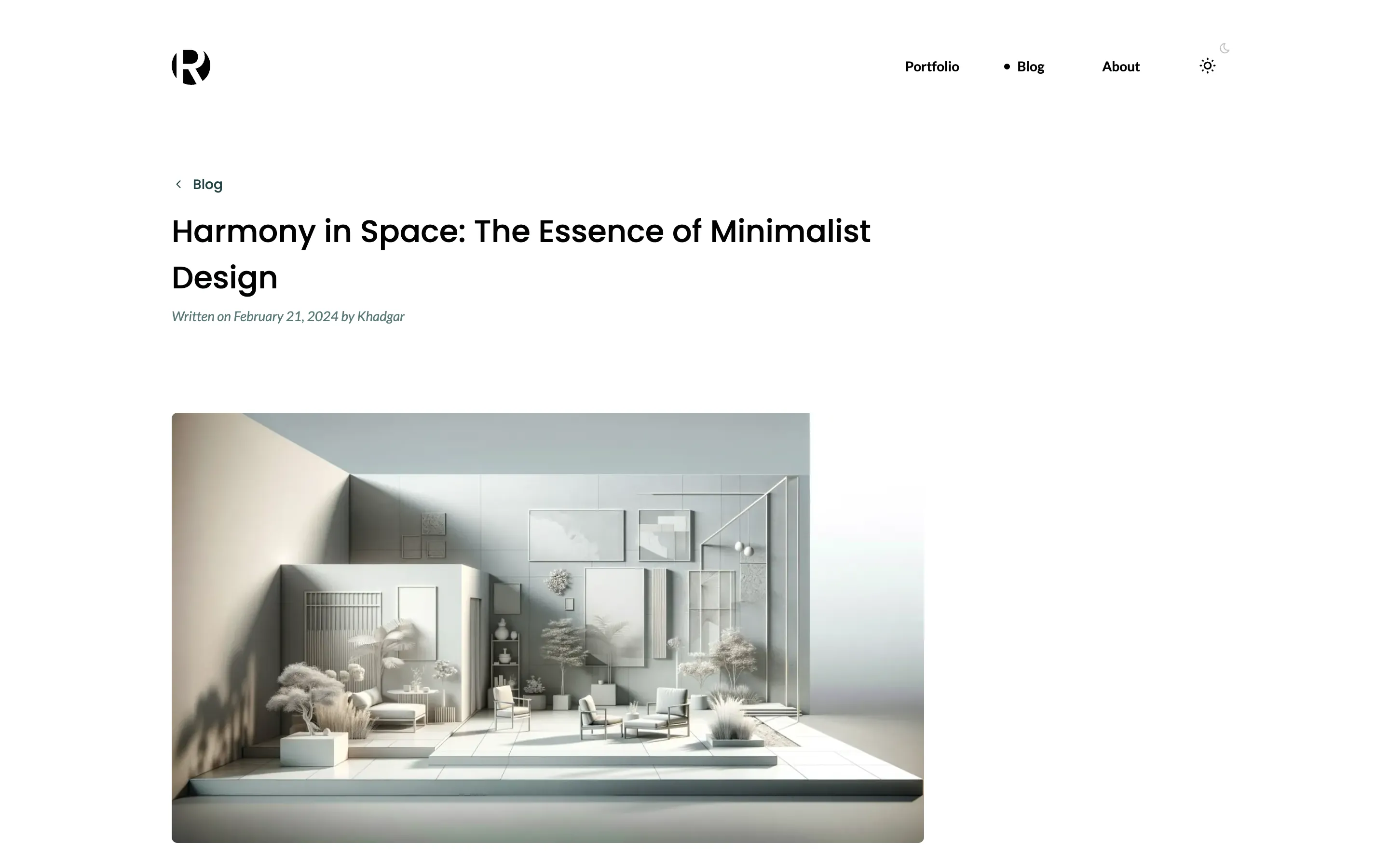
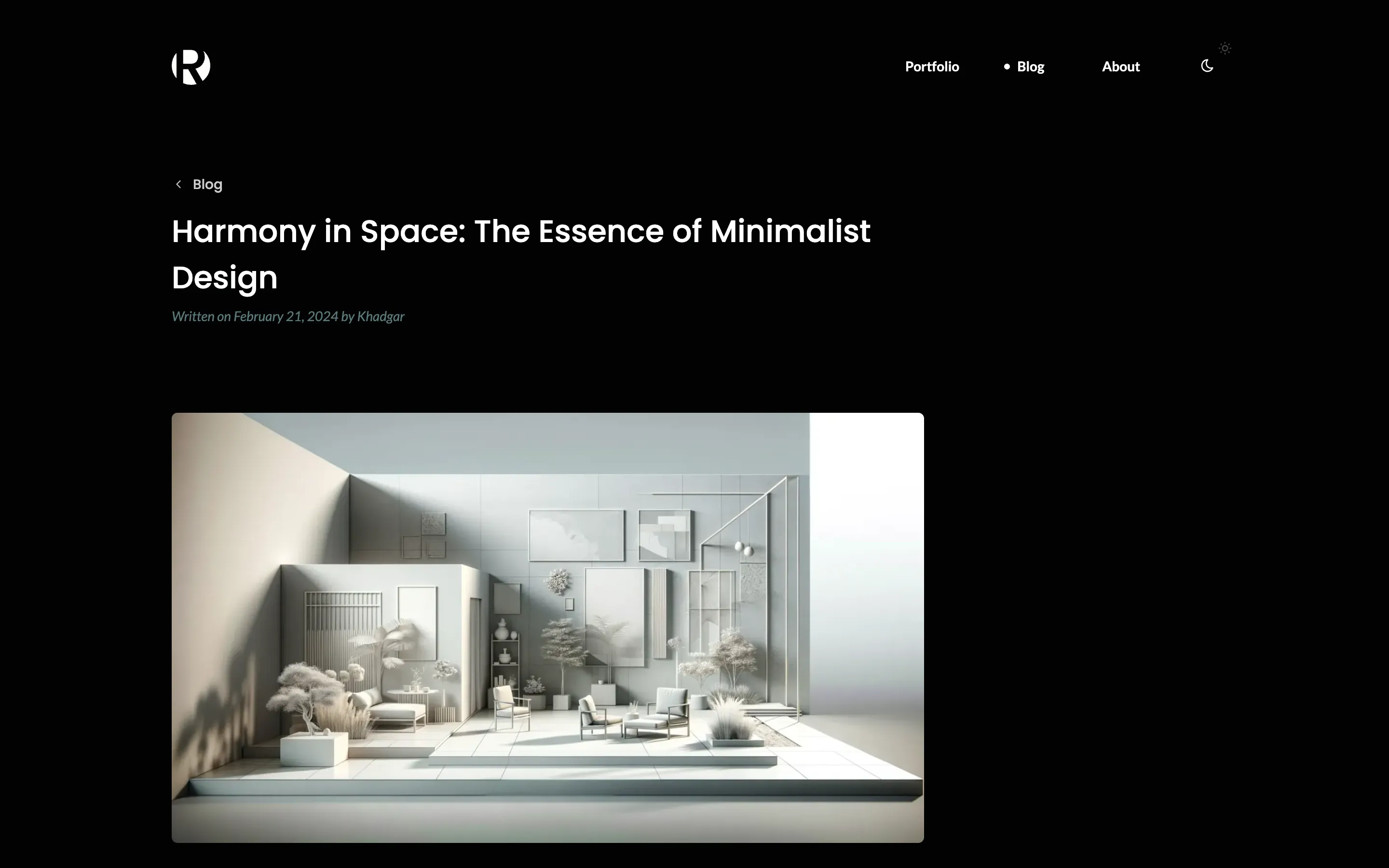
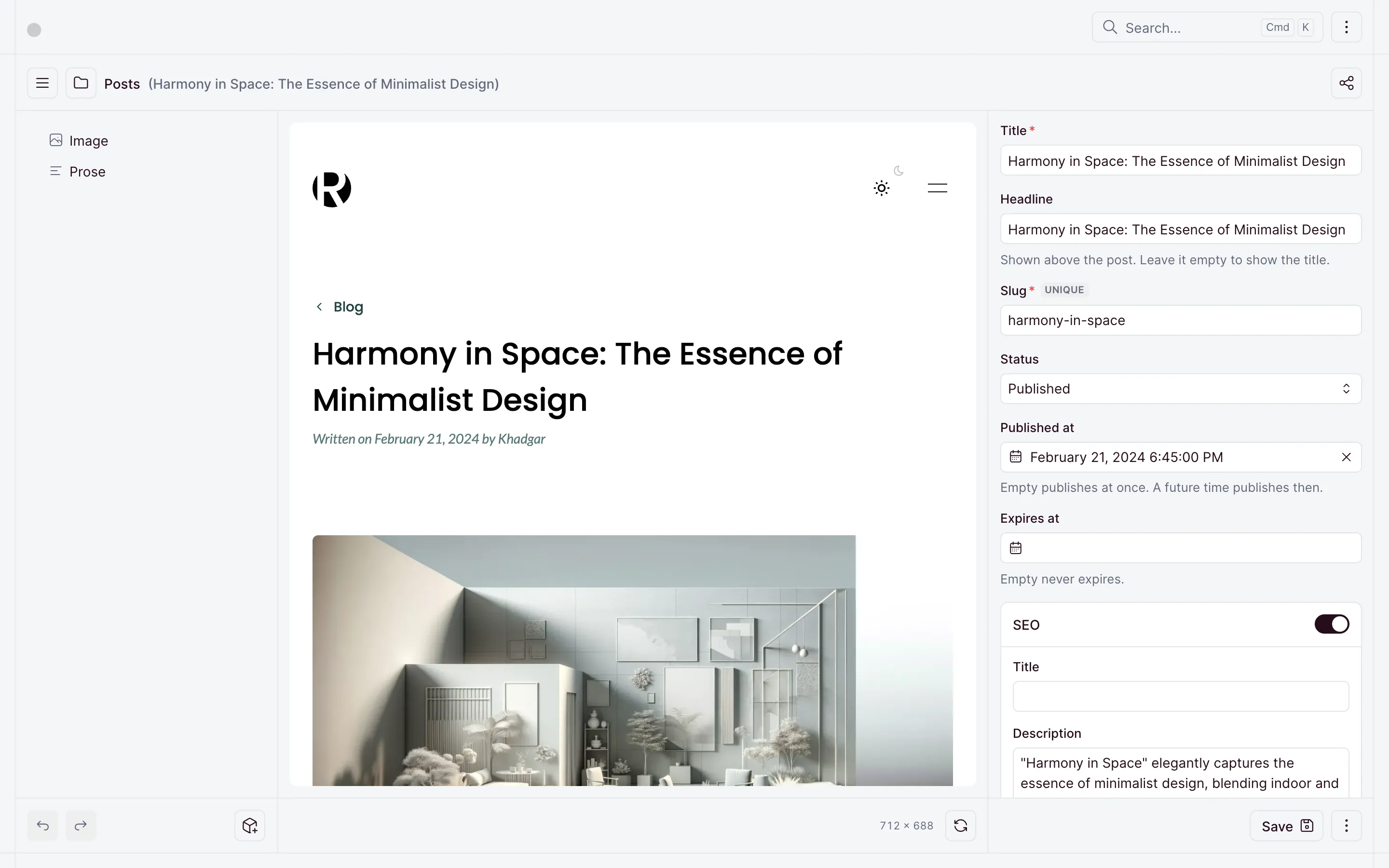
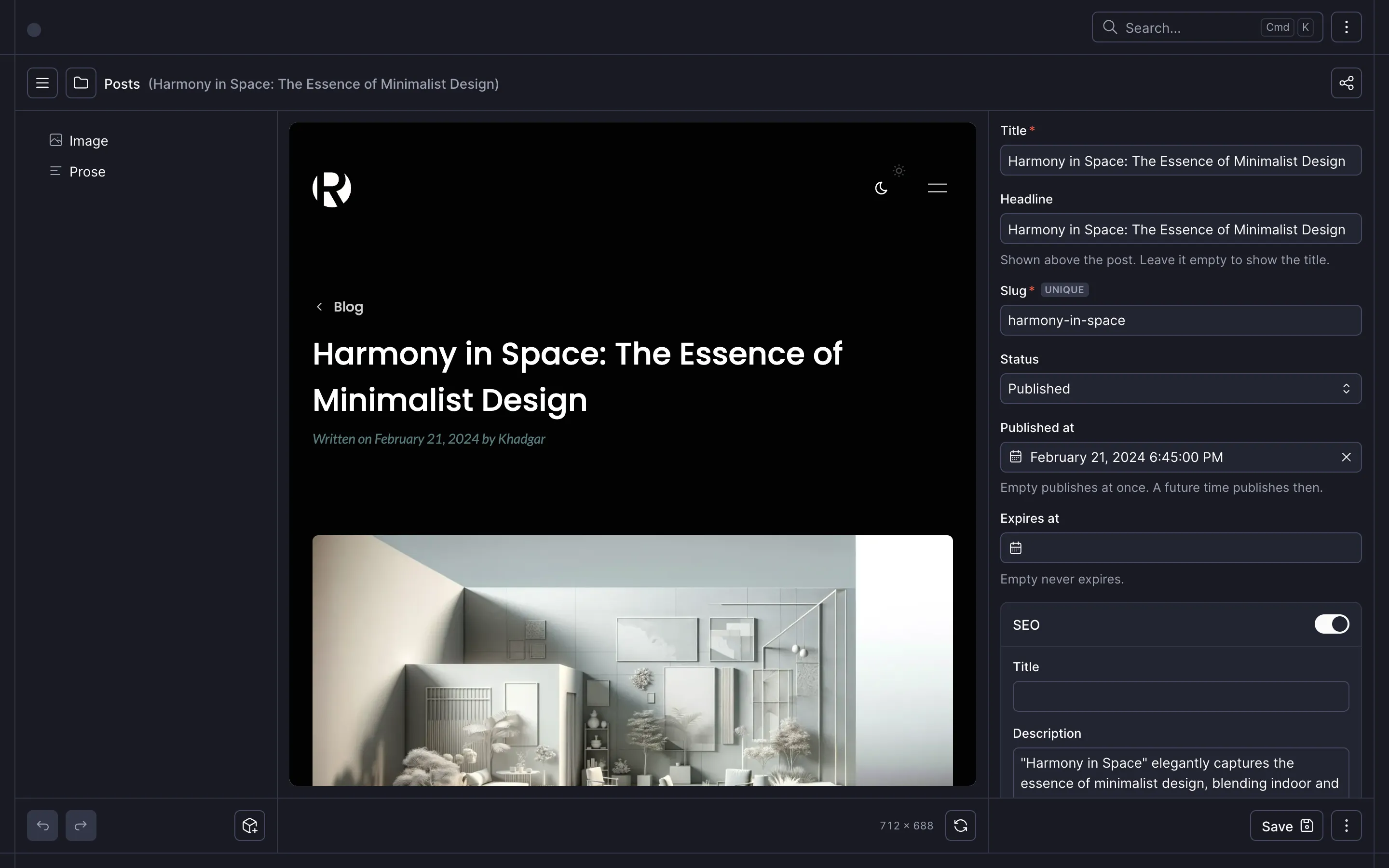
In the dashboard, a post edits beside its own preview:
The next lesson, Contact form, adds a form that stores each message in the CMS.
Checkpoint
The code at this lesson
Every lesson ends at a tag. Clone it to start from here, or compare it with yours.
git clone --branch lesson-05-blog https://github.com/ohnejs/rayleigh-nuxt rayleigh