Lesson 04
About page
Build Rayleigh's About page from new intro, image and prose blocks, give each a Nuxt component, and let a page draw a line above the footer.
import { defineBlock, field } from 'ohnejs';

export default defineBlock({
  description: 'The title that opens a page, with a short line below it',
  fields: {
    title: field('text'),
    kicker: field('text', { nullable: true }),
  },
  dashboard: { icon: 'h-1' },
});
The image block shows one wide image:
import { defineBlock, field } from 'ohnejs';

export default defineBlock({
  description: 'One wide image',
  fields: {
    image: field('image', { minWidth: 1440 }),
  },
  dashboard: { icon: 'photo' },
});
The prose block limits its editor to what Rayleigh has styles for. See Rich text.
import { defineBlock, field } from 'ohnejs';

export default defineBlock({
  description: 'Formatted text: headings, lists and links',
  fields: {
    // Rich text is stored as JSON, never HTML, and links to a page follow it when its slug changes.
    // The options limit the editor's toolbar to what the design has styles for.
    // See https://ohne.dev/docs/database/rich-text
    body: field('richText', {
      elements: ['h2', 'h3', 'ul'],
      marks: ['strong', 'em'],
      links: ['Pages'],
    }),
  },
  dashboard: { icon: 'align-left' },
});
The hero goes:
rm apps/backend/blocks/Hero.tsPages allows the new blocks, and gains a switch for the line above the footer:
    footerBorder: field('boolean', {
      default: false,
      display: 'switch',
      description: 'Draws a line above the footer.',
    }),
    // The page's content, as a list of blocks. Each name here is a file in `blocks/`.
    content: field('blocks', { allow: ['PageIntro', 'Portfolio', 'Image', 'Prose'] }),
The content
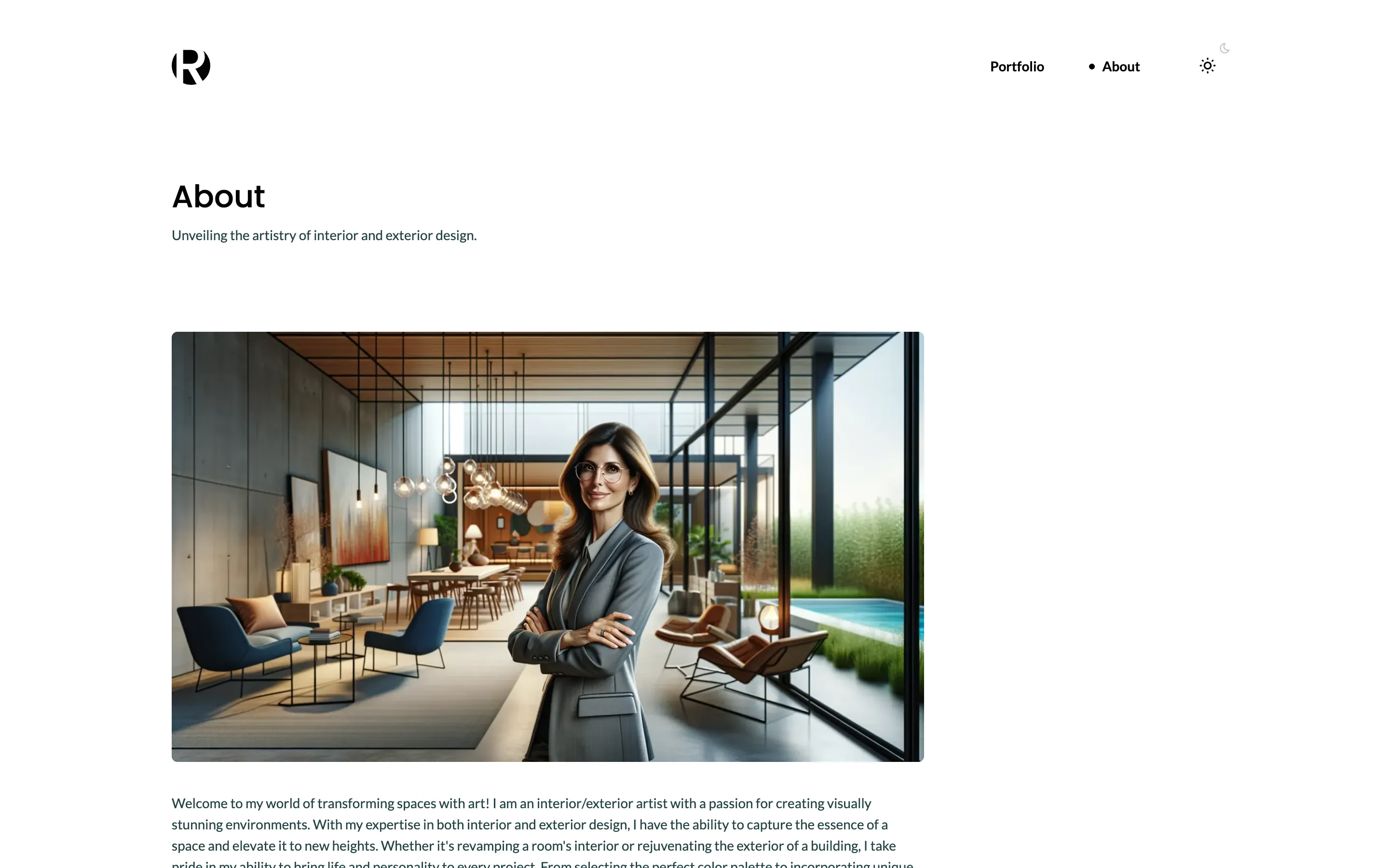
Copy the About image and its credits from this lesson's tag:
curl -sL https://github.com/ohnejs/rayleigh-nuxt/archive/refs/tags/lesson-04-about-page.tar.gz \
  | tar -xzf - --strip-components=1 \
    rayleigh-nuxt-lesson-04-about-page/apps/backend/seed/images/other \
    rayleigh-nuxt-lesson-04-about-page/apps/backend/seed/CREDITS.md
The About text is rich text, a list of paragraphs:
// The demo copy of Rayleigh, written as rich text.
// Rich text is a list of blocks, so a paragraph and a heading are small objects.
// See https://ohne.dev/docs/database/rich-text

/**
 * A paragraph of plain text.
 */
function p(text: string) {
  return { kind: 'paragraph' as const, content: [{ text }] };
}

/**
 * The two galleries of the home page, each image with its caption.
 */
export const galleries = [
  {
    title: 'Interior design',
    directory: 'interior',
    items: [
      ['modern-armchair', 'Modern armchair'],
      ['contemporary-coffee-table', 'Contemporary coffee table'],
      ['sleek-lamp', 'Sleek lamp'],
      ['elegant-vase', 'Elegant vase'],
      ['simple-bookshelf', 'Simple bookshelf'],
      ['stylish-sofa', 'Stylish sofa'],
    ],
  },
  {
    title: 'Exterior design',
    directory: 'exterior',
    items: [
      ['luna-bench', 'Luna bench'],
      ['aurora-lamp', 'Aurora lamp'],
      ['serenity-fountain', 'Serenity fountain'],
      ['zephyr-sculpture', 'Zephyr sculpture'],
      ['harmony-seating', 'Harmony seating'],
      ['mystic-path', 'Mystic path'],
    ],
  },
] as const;

/**
 * The text of the About page.
 */
export const about = [
  p(
    "Welcome to my world of transforming spaces with art! I am an interior/exterior artist with a passion for creating visually stunning environments. With my expertise in both interior and exterior design, I have the ability to capture the essence of a space and elevate it to new heights. Whether it's revamping a room's interior or rejuvenating the exterior of a building, I take pride in my ability to bring life and personality to every project. From selecting the perfect color palette to incorporating unique textures and patterns, I believe that each element plays a crucial role in crafting a space that truly reflects the client's vision.",
  ),
  p(
    'I have a keen eye for detail and a deep understanding of spatial aesthetics. I strive to create balanced compositions that evoke emotions, inspire creativity, and enhance the surrounding atmosphere. By carefully blending form and function, I aim to create harmonious spaces that not only look breathtaking but also fulfill practical needs. My artistic journey began at a young age, fueled by my fascination with colors, textures, and the interplay of light and shadows. Over the years, I have honed my skills through formal education and hands-on experience, working on a diverse range of projects, from residential homes to commercial establishments.',
  ),
  p(
    "Being an avid traveler, I draw inspiration from various cultures, architectural styles, and natural landscapes. This allows me to infuse a distinct global perspective into my designs, resulting in truly unique and captivating spaces. I strongly believe in the power of collaboration and value open communication with my clients. By understanding their preferences, needs, and aspirations, I am able to create personalized and tailored designs that exceed expectations. Thank you for visiting my portfolio. I look forward to the opportunity to work with you and turn your interior or exterior space into a work of art. Let's embark on a creative journey together!",
  ),
];
The seed opens the home page with a page intro, adds the About page, and links it from the menu:
import { openAsBlob } from 'node:fs';
import { hook, query, useEnv } from 'ohnejs';
import { putUpload, updateUpload } from 'ohnejs/uploads';

import { about, galleries } from '../seed/content.ts';

/**
 * Uploads one image from `seed/images/` to the media library, as an editor would, and gives it its alt text.
 * Returns the upload's `UUID`, which an image field stores.
 */
async function upload(path: string, description: string): Promise<string> {
  const [directory, name] = path.includes('/') ? path.split('/') : ['', path];
  const file = await openAsBlob(new URL(`../seed/images/${path}`, import.meta.url));
  const { UUID } = await putUpload({ directory, name, body: file.stream(), size: file.size });
  await updateUpload(UUID, { description });
  return UUID;
}

// Boot files run before the schema sync creates the tables, so the seed waits for `schema:synced`.
// It fires on every start. See https://ohne.dev/docs/project/boot
hook('schema:synced', async () => {
  if (useEnv().get('NODE_ENV') === 'production') return;
  // Only an empty site gets the demo, so the seed never touches your edits.
  if (await query('Pages').exists()) return;

  const logo = await upload('logo.svg', 'Rayleigh');

  const portfolio = [];
  for (const { title, directory, items } of galleries) {
    const gallery = [];
    for (const [name, caption] of items) {
      gallery.push({ image: await upload(`${directory}/${name}.webp`, caption), caption });
    }
    portfolio.push({ block: 'Portfolio' as const, fields: { title, gallery } });
  }

  const home = await query('Pages').createOrThrow({
    title: 'Homepage',
    // `index` is the slug of the home page, shown at `/`.
    slug: 'index',
    status: 'published',
    content: [
      {
        block: 'PageIntro',
        fields: {
          title: 'Welcome to Rayleigh',
          kicker: 'A minimalistic portfolio template made with ohne.',
        },
      },
      ...portfolio,
    ],
  });

  const aboutPage = await query('Pages').createOrThrow({
    title: 'About',
    slug: 'about',
    status: 'published',
    footerBorder: true,
    content: [
      {
        block: 'PageIntro',
        fields: {
          title: 'About',
          kicker: 'Unveiling the artistry of interior and exterior design.',
        },
      },
      {
        block: 'Image',
        fields: {
          image: await upload(
            'other/about.webp',
            'A designer with folded arms in a bright open room beside a pool',
          ),
        },
      },
      { block: 'Prose', fields: { body: about } },
    ],
  });

  // A singleton always has its one record, so the seed updates it instead of creating it.
  await query('Settings').update({
    logo,
    menu: [
      { label: 'Portfolio', link: { collection: 'Pages', record: home.UUID } },
      { label: 'About', link: { collection: 'Pages', record: aboutPage.UUID } },
    ],
    copyright: '© 2026 Rayleigh. Built with ohne.',
    social: [
      {
        icon: 'github',
        link: { url: 'https://github.com/ohnejs', newTab: true },
        title: 'ohne on GitHub',
      },
      {
        icon: 'website',
        link: { url: 'https://ohne.dev/examples/rayleigh', newTab: true },
        title: 'Rayleigh on ohne.dev',
      },
    ],
  });
  // `Site` comes with the CMS: the site's name, which every page title ends with.
  await query('Site').update({
    name: 'Rayleigh',
    description: 'Rayleigh is a minimalistic portfolio template made with ohne.',
  });
});
Stop pnpm dev, delete the data and start again, then create your admin account once more:
rm -rf apps/backend/.data apps/backend/.uploads
pnpm dev<script setup lang="ts">
import type { Blocks } from '~~/ohne';
defineProps<{ fields: Blocks['PageIntro'] }>();
</script>
<template>
<Container>
<div class="page-intro">
<h1>{{ fields.title }}</h1>
<p v-if="fields.kicker" class="page-intro__kicker">{{ fields.kicker }}</p>
</div>
</Container>
</template><script setup lang="ts">
import type { Blocks } from '~~/ohne';
// An image field may be empty, and then the block shows nothing.
defineProps<{ fields: Blocks['Image'] }>();
</script>
<template>
<Container v-if="fields.image" class="content-block">
<img
class="image-block"
:src="fields.image.url"
:width="fields.image.width ?? undefined"
:height="fields.image.height ?? undefined"
:alt="fields.image.description ?? ''"
decoding="async"
/>
</Container>
</template><script setup lang="ts">
import type { Blocks } from '~~/ohne';
// The block's editor offers only headings, lists, bold, italic and links, the styles `prose.css` has.
// A click on a link to one of your pages moves there without a full page load.
defineProps<{ fields: Blocks['Prose'] }>();
</script>
<template>
<Container class="content-block">
<OhneRichText :value="fields.body" class="prose" />
</Container>
</template>The hero's component goes too:
rm apps/web/app/components/blocks/Hero.vueThe page reads footerBorder from the record:
<script setup lang="ts">
// The `ohne` middleware asks the CMS what this path shows, once, before the page renders.
// A redirect or a missing page answers with its own status code, so this page only renders content.
definePageMeta({ middleware: 'ohne' });

// Each block renders its own heading, so a page adds no `<h1>` of its own.
// A path no page answers shows your CMS page with the slug `404`, when you create one.
// `footerBorder` is a switch on each page in the dashboard, which draws a line above the footer.
const page = useOhnePage();
</script>

<template>
  <main
    v-if="page?.kind === 'page' && page.collection === 'Pages'"
    class="main"
    :class="{ 'main--bordered': page.record.footerBorder }"
  >
    <OhneBlocks :blocks="page.record.content" />
  </main>
  <main
    v-else-if="page?.kind === 'notFound' && page.page"
    class="main"
    :class="{ 'main--bordered': page.page.footerBorder }"
  >
    <OhneBlocks :blocks="page.page.content" />
  </main>
</template>
Styles
The text, the intro and the wide image are plain CSS. Copy the stylesheets:
curl -sL https://github.com/ohnejs/rayleigh-nuxt/archive/refs/tags/lesson-04-about-page.tar.gz \
| tar -xzf - --strip-components=1 rayleigh-nuxt-lesson-04-about-page/apps/web/app/assets/styles/* Rayleigh's styles, in plain CSS. The order matters: tokens first, then the rules that use them. */
@import './fonts.css';
@import './tokens.css';
@import './base.css';
@import './layout.css';
@import './components.css';
@import './blocks.css';
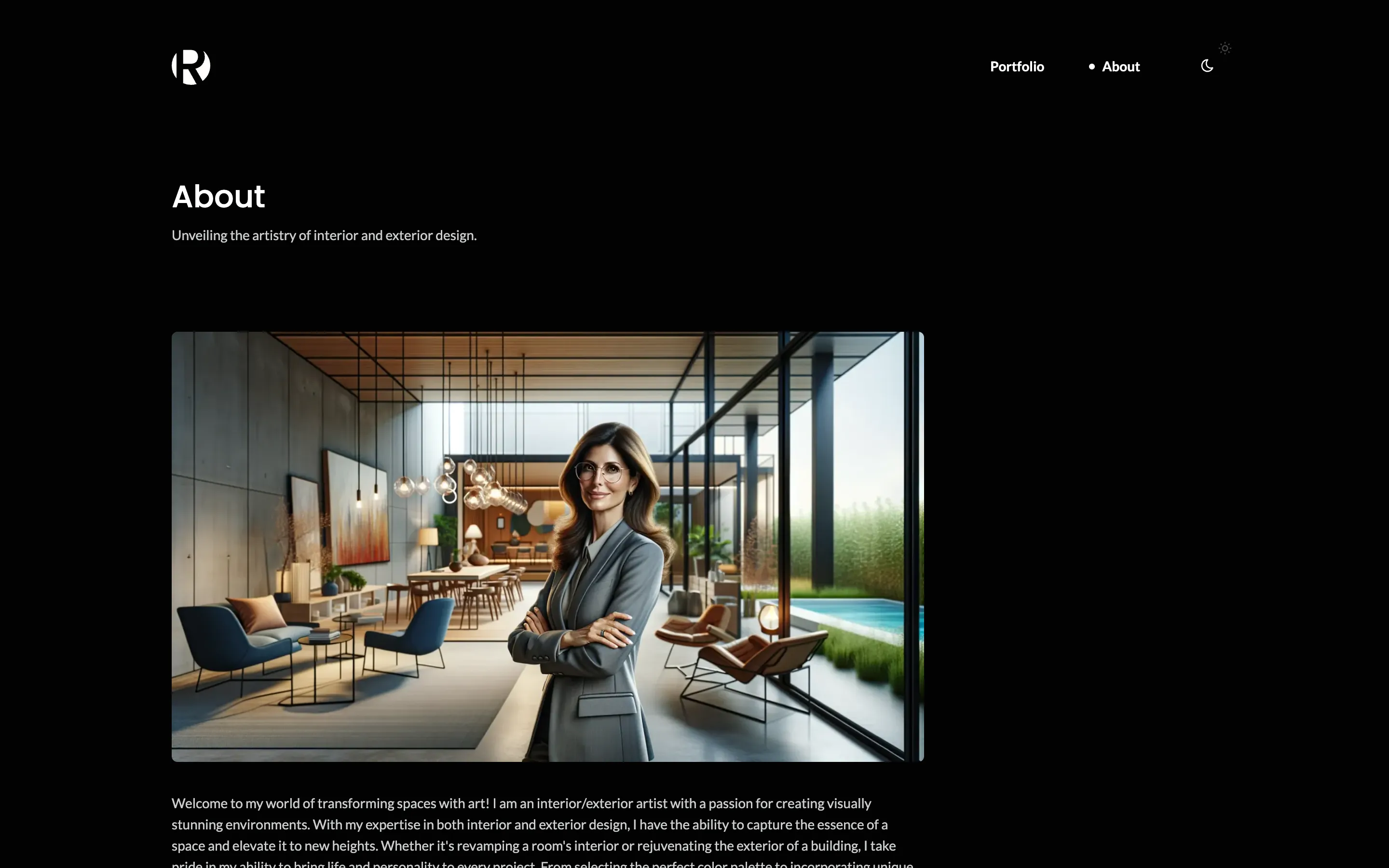
@import './prose.css';Open http://localhost:3000/about. The menu now reads Portfolio, About. The next lesson, Blog, adds posts.
Checkpoint
The code at this lesson
Every lesson ends at a tag. Clone it to start from here, or compare it with yours.
git clone --branch lesson-04-about-page https://github.com/ohnejs/rayleigh-nuxt rayleigh