Lesson 01
Project setup
Create Rayleigh as an ohne CMS with a Next website, then give the starter Rayleigh's fonts, its styles, a header and a footer.
pnpm create ohne@0.5.0 rayleigh --web next
cd rayleigh
pnpm dev
This creates a monorepo: apps/backend is your ohne app with the CMS, and apps/web is the Next website that reads from it.
Open the dashboard at http://localhost:9000 and create your admin account. Under Pages, open Home: the dashboard shows the website beside the form, and updates it as you type.
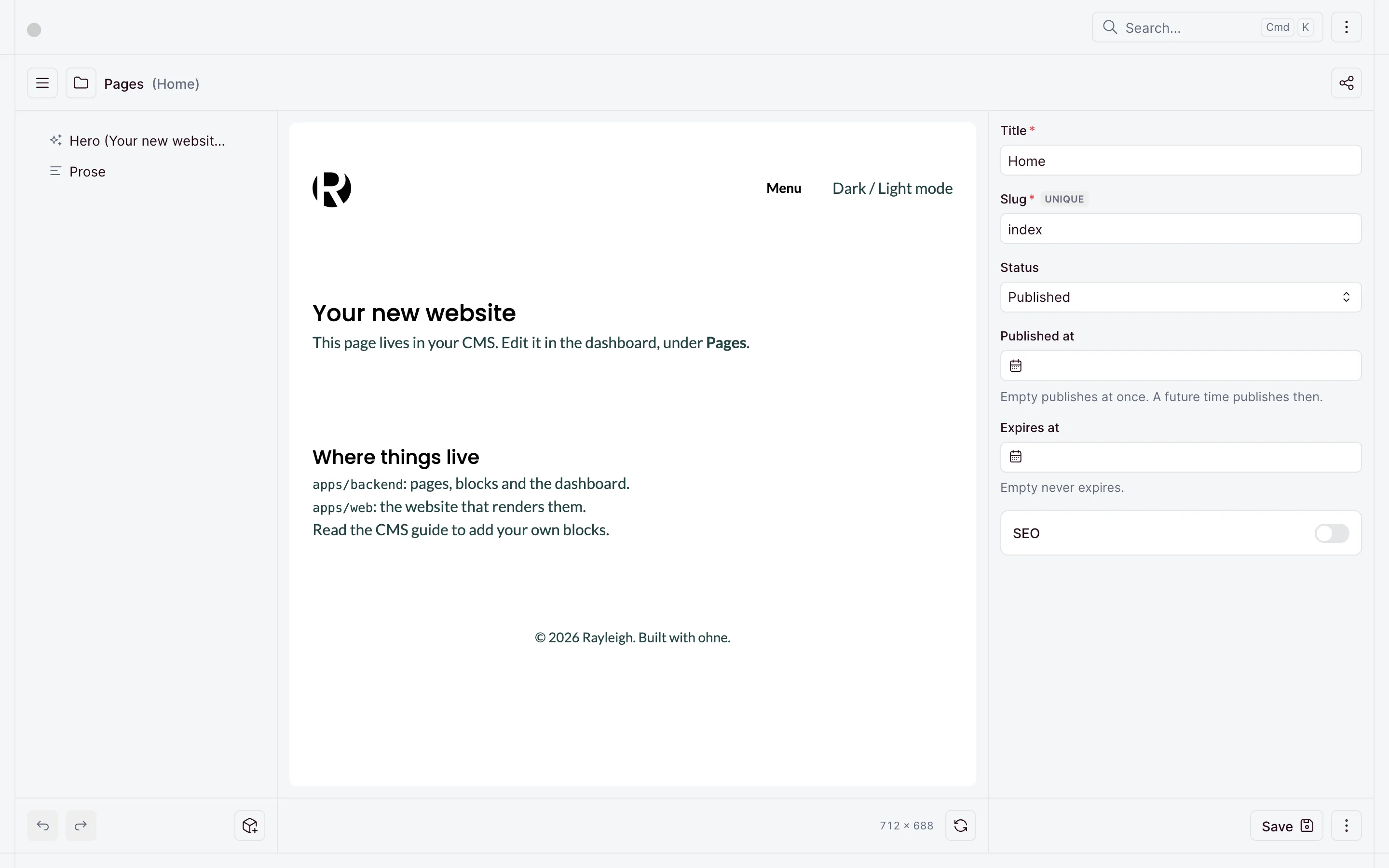
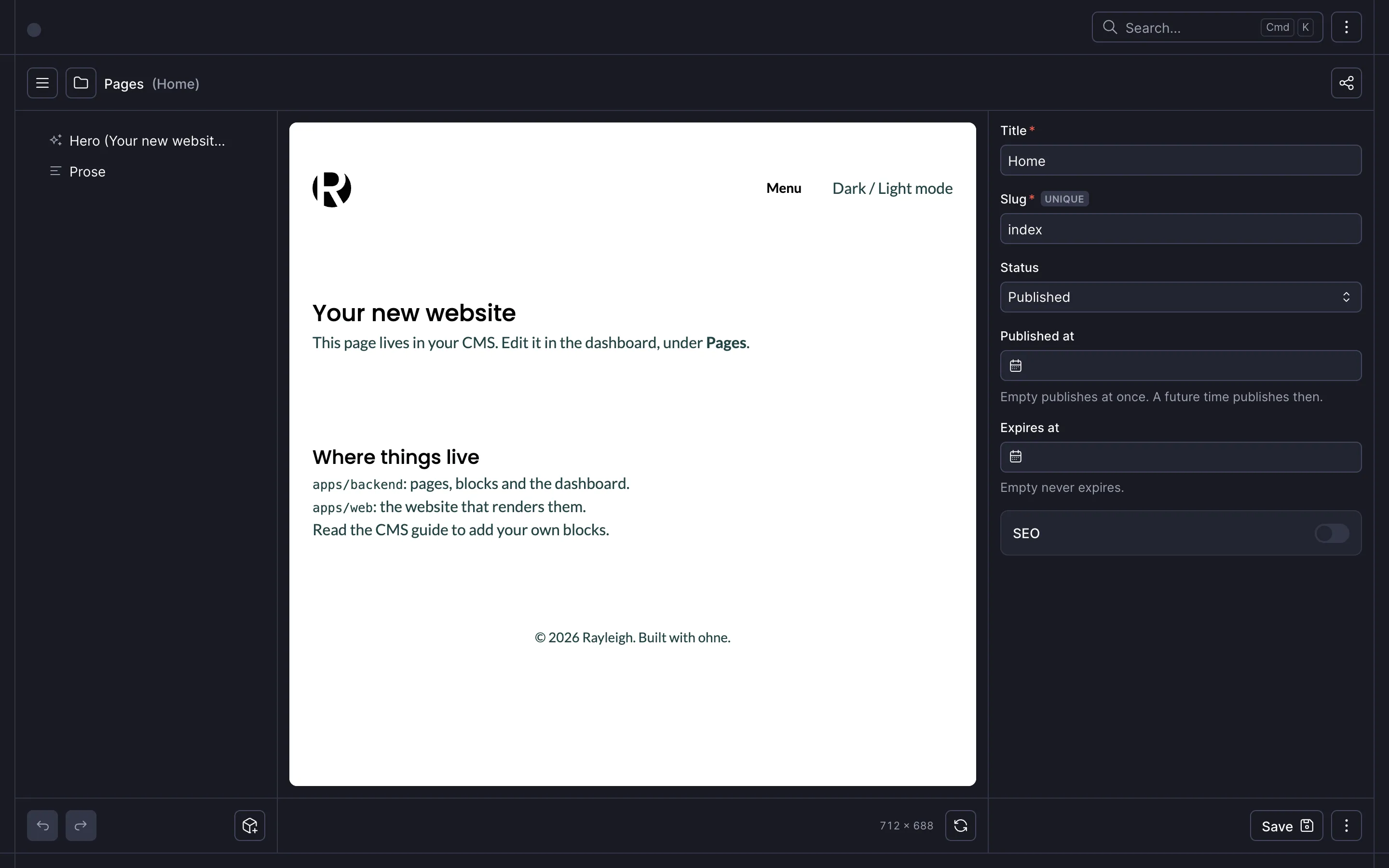
The website runs at http://localhost:3000. How it reads its pages from the CMS is in Frameworks. The lessons show only what Rayleigh adds.
Fonts and styles
Rayleigh sets its text in Lato and its headings in Poppins, served from apps/web/public/fonts. Copy the fonts and the site icon from this lesson's tag:
curl -sL https://github.com/ohnejs/rayleigh-next/archive/refs/tags/lesson-01-project-setup.tar.gz \
  | tar -xzf - --strip-components=1 \
    rayleigh-next-lesson-01-project-setup/apps/web/public/fonts \
    rayleigh-next-lesson-01-project-setup/apps/web/app/icon.svg
The styles are plain CSS in apps/web/app/styles. They replace the starter's stylesheet:
rm apps/web/app/site.css/* Rayleigh's styles, in plain CSS. The order matters: tokens first, then the rules that use them. */
@import './fonts.css';
@import './tokens.css';
@import './base.css';
@import './layout.css';The root layout imports them and preloads the two fonts the first screen needs. The header and footer leave it for a layout of their own:
import type { Metadata } from 'next';

import { OhnePreview } from '@ohnejs/next/client';

import './styles/site.css';

// The title of a page that has none of its own, like the not-found page.
export const metadata: Metadata = { title: 'Rayleigh' };

export default function Layout({ children }: LayoutProps<'/'>) {
  return (
    <html lang="en">
      <head>
        {/* The fonts the first screen needs start loading before the stylesheet asks for them. */}
        <link
          rel="preload"
          href="/fonts/lato-400.woff2"
          as="font"
          type="font/woff2"
          crossOrigin="anonymous"
        />
        <link
          rel="preload"
          href="/fonts/poppins-500.woff2"
          as="font"
          type="font/woff2"
          crossOrigin="anonymous"
        />
      </head>
      <body>
        {children}
        {/* Inside the dashboard's editor, this updates the page as you type. Elsewhere it does nothing. */}
        <OhnePreview />
      </body>
    </html>
  );
}
The header and footer
Each part of the frame is a small server component. The menu and the theme button are placeholders until Header and footer fills them from the CMS.
import type { ReactNode } from 'react';

// Centers its content at the site's width, with the gutter at each side.
export function Container({ className, children }: { className?: string; children: ReactNode }) {
  return <div className={className ? `container ${className}` : 'container'}>{children}</div>;
}// Drawn in `currentColor`, so it takes the color of the link around it.
export function Logo() {
return (
<svg className="logo" width="40" height="40" viewBox="0 0 40 40" fill="none" aria-hidden="true">
<path
d="M32.0608 35.9556C36.884 32.3041 40 26.5159 40 20C40 13.8167 37.194 8.28885 32.786 4.6202C33.8193 6.49511 34.336 8.57807 34.336 10.8691C34.336 13.6739 33.5312 16.2312 31.9215 18.541C30.3521 20.8096 27.9175 22.3564 24.6177 23.1813L32.0608 35.9556Z"
fill="currentColor"
/>
<path
d="M5 6.77089C1.88818 10.2966 0 14.9278 0 20C0 25.0722 1.88818 29.7035 5 33.2291V6.77089Z"
fill="currentColor"
/>
<path
d="M11.8813 38.2835C14.3623 39.3869 17.1096 40 20 40C22.0013 40 23.9339 39.7061 25.757 39.159L17.1328 23.8H11.8813V38.2835Z"
fill="currentColor"
/>
<path
d="M19.4869 18.1698H11.8813V3.75397H19.4869C22.1026 3.75397 24.0543 4.3933 25.3421 5.67195C26.6298 6.90937 27.2736 8.64174 27.2736 10.8691C27.2736 13.0964 26.6097 14.87 25.2817 16.1899C23.994 17.5098 22.0624 18.1698 19.4869 18.1698Z"
fill="currentColor"
/>
</svg>
);
}export function Menu() {
return (
<nav className="menu">
<ul className="menu__list">
<li className="menu__link">Menu</li>
</ul>
</nav>
);
}export function DarkModeSwitch() {
return <button type="button">Dark / Light mode</button>;
}import Link from 'next/link';
import { DarkModeSwitch } from './DarkModeSwitch';
import { Logo } from './Logo';
import { Menu } from './Menu';
export function Header() {
return (
<header className="container header">
<Link href="/" className="header__home" aria-label="Rayleigh">
<Logo />
</Link>
<Menu />
<DarkModeSwitch />
</header>
);
}export function Footer() {
return (
<footer className="container footer">
<p className="footer__copyright">© 2026 Rayleigh. Built with ohne.</p>
</footer>
);
}A layout beside the catch-all page wraps every page of the site in them:
import { Footer } from '../../components/Footer';
import { Header } from '../../components/Header';

// Every page of the site shares this header and footer, the not-found page too.
export default function SiteLayout({ children }: LayoutProps<'/[[...slug]]'>) {
  return (
    <>
      <Header />
      {children}
      <Footer />
    </>
  );
}
The page and its blocks
A page in the CMS is a list of blocks, and the website renders one component per block. In Rayleigh each block renders its own heading, so the page drops the starter's <h1> and gives <main> the site's class:
export default async function Page() {
  const { page } = await ohne.page();
  // Each block renders its own heading, so a page adds no `<h1>` of its own.
  return (
    <main className="main" lang={page.locale}>
      {/* Name a component for every block. A block the CMS adds fails `pnpm typecheck` until it has one. */}
      <OhneBlocks blocks={page.record.content} components={{ Hero, Prose }} />
    </main>
  );
}
The starter's two blocks move into the site's container. The hero's heading becomes the page's <h1>:
import { OhneRichText } from '@ohnejs/next/client';

// `ohne.ts` holds the types the CMS writes, so `fields` matches the block in `apps/backend/blocks/`.
import type { Block } from '../../ohne';

import { Container } from '../Container';

// `OhneBlocks` in the page renders this component for every `Hero` block, by its name.
export function Hero({ fields }: Block<'Hero'>) {
  return (
    <Container>
      <h1>{fields.heading}</h1>
      {fields.lead && (
        <p>
          <OhneRichText value={fields.lead} inline />
        </p>
      )}
    </Container>
  );
}import { OhneRichText } from '@ohnejs/next/client';
import type { Block } from '../../ohne';
import { Container } from '../Container';
// A click on a link to one of your pages moves there without a full page load.
export function Prose({ fields }: Block<'Prose'>) {
return (
<Container>
<OhneRichText value={fields.body} className="prose" />
</Container>
);
}The not-found page takes the same frame:
import { OhneBlocks } from '@ohnejs/next';
import Link from 'next/link';

import { Hero } from '../../components/blocks/Hero';
import { Prose } from '../../components/blocks/Prose';
import { Container } from '../../components/Container';
import { ohne } from '../../lib/ohne';

// Next shows this for a path no page in the CMS answers.
// A page you mark as the 404 page in the CMS shows here instead.
export default async function NotFound() {
  const { resolved } = await ohne.current();
  const page = resolved.kind === 'notFound' ? resolved.page : undefined;
  if (page)
    return (
      <main className="main">
        <OhneBlocks blocks={page.content} components={{ Hero, Prose }} />
      </main>
    );
  return (
    <main className="main">
      <Container>
        <div className="page-intro">
          <h1>Page not found</h1>
          <p className="page-intro__kicker">
            <Link href="/">Back to the home page</Link>
          </p>
        </div>
      </Container>
    </main>
  );
}
The error page
Next shows the error page when a page throws. It gets Rayleigh's layout too:
'use client';

import Link from 'next/link';

import { Container } from '../components/Container';

// Next shows this when a page throws, like when the API fails.
// It renders without the header and footer, since they read the API too.
export default function ErrorPage() {
  return (
    <main className="main">
      <Container>
        <div className="page-intro">
          <h1>Something went wrong</h1>
          <p className="page-intro__kicker">
            <Link href="/">Back to the home page</Link>
          </p>
        </div>
      </Container>
    </main>
  );
}
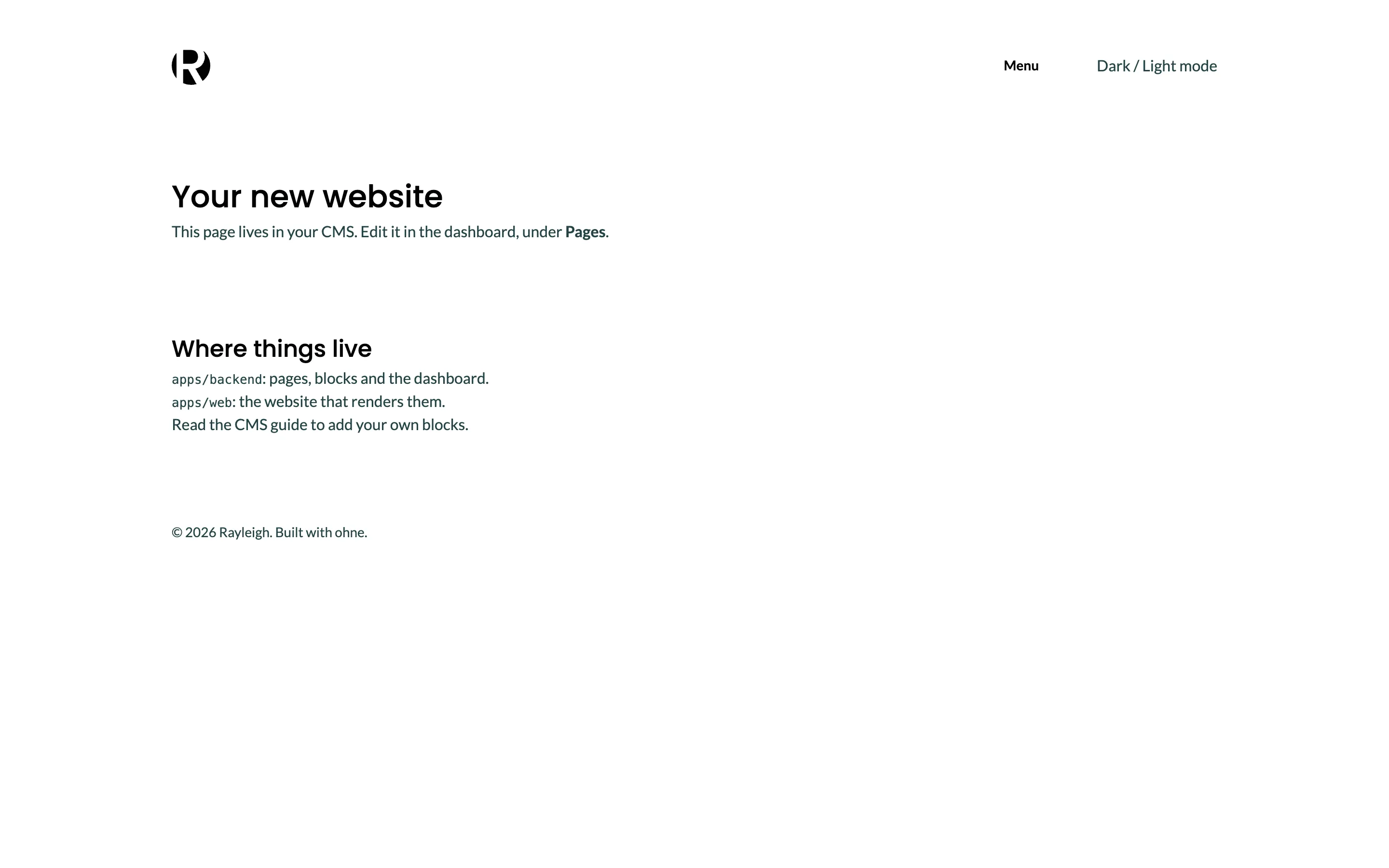
Open http://localhost:3000: the starter's home page now reads in Rayleigh's type, between the logo and the copyright line.
Next, Portfolio block fills the home page with galleries.
Checkpoint
The code at this lesson
Every lesson ends at a tag. Clone it to start from here, or compare it with yours.
git clone --branch lesson-01-project-setup https://github.com/ohnejs/rayleigh-next rayleigh